
Note: The track tab in the SingleTrack Editor may differ slightly from the screenshot. Its functionality is not compromised because of this.
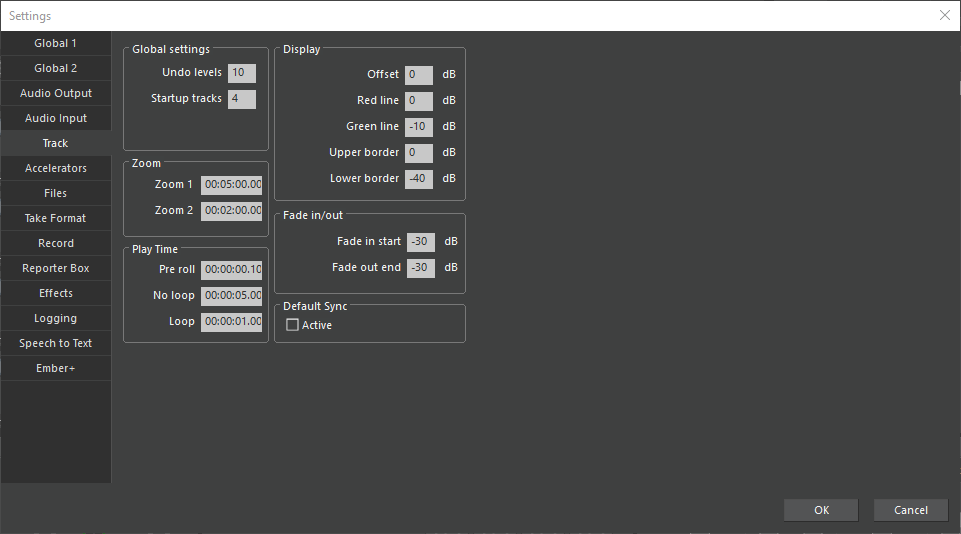
Under Global settings you may set the number of possible Undo levels and the initial number of the Startup tracks.
With Zoom 1 and Zoom 2, you may set two resolutions.
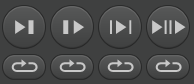
In Play Time you define the time period Pre roll, by which the sound head jumps to the left when double-clicking Play. Under No loop / Loop the play times of below buttons will be defined:
Display (in dB Full Scale):
|
Offset |
Vertical waveform zoom in/out, deviating from 100% |
|
Red line |
Displays a red line at configured db value |
|
Green line |
Displays a green line at configured db value
|
|
Upper border |
Upper window border |
|
Lower border |
Lower window border |
With Fade in start / Fade out end you set the start level of a fade in and the level of a fade out.
Under Default Sync you decide if sync points are automatically assigned to new audio objects.