
Requires Content Manager >= v3.4.5
Requires DPE Nano Services >= v1.4.31 or DPE >= v2.16.10 as backend
Metadata fields of an entry can be used to define relationships between entries.
Examples:
-
Entries that have the same value in the field DAVID/HOOKID could be seen as linked together.
-
Entries that have the same value in the field MusicId could be seen as linked together.
-
Entries that have the same value in the field MusicId or the same value in the field MediumName could be seen as linked together.
A common use case is finding alternative versions of an entry.
Wildcard support
Requires Content Manager >= 3.4.6
Requires DPE Nano Services >= 1.4.54 or DPE >= 2.16.13 as backend
Example:
-
Entries that have a similiar value in the field MusicId could be seen as linked together, e.g. configuration value “%MusicId” or “?MusicId”
Note: Technically wildcards use the SQL LIKE statement instead of the equality operator and are less performant.
Configure a context menu item
Configure a new context menu item in Parameters under ContentManager|Menu|OpenMyHook1
You can also configure multiple menus if you have different relationships.
HookType can also contain a comma-separated list of field names, e.g. MusicId,MediumName.
Finding the matching entries works across all DigaSystem tables of one database.
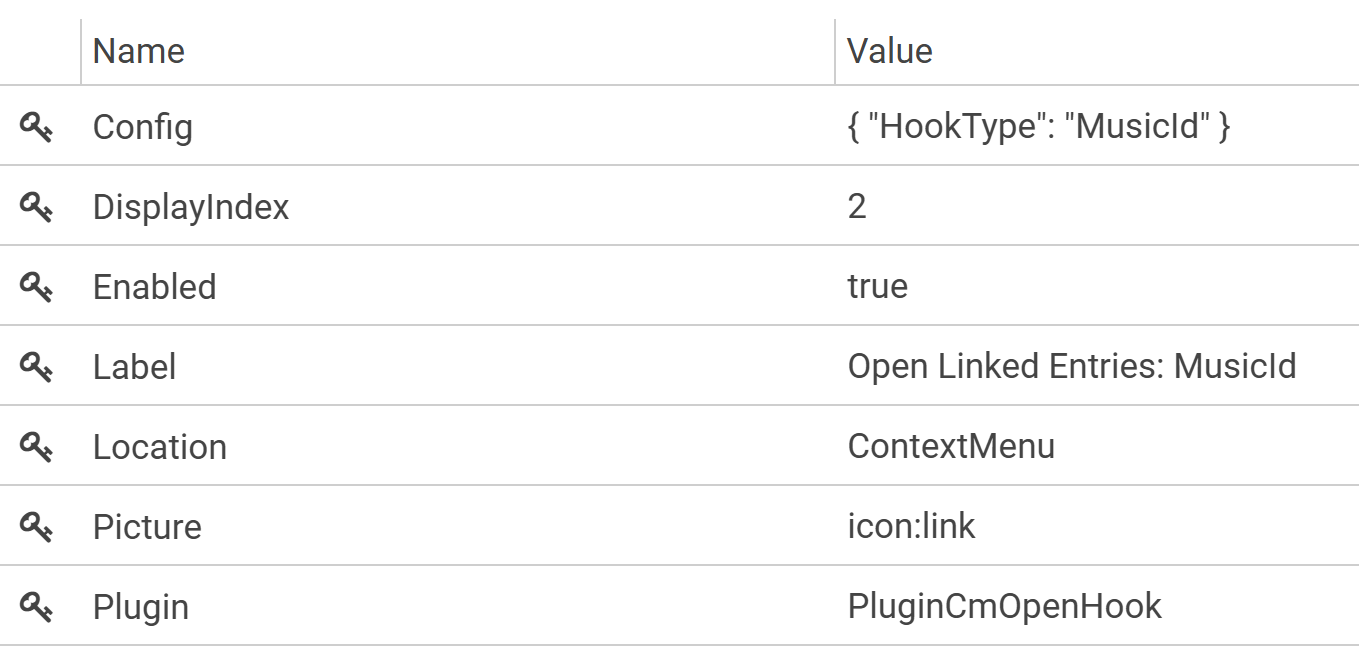
Use the context menu to open a view to linked entries
Select an entry and click the right muse button to open the context menu:
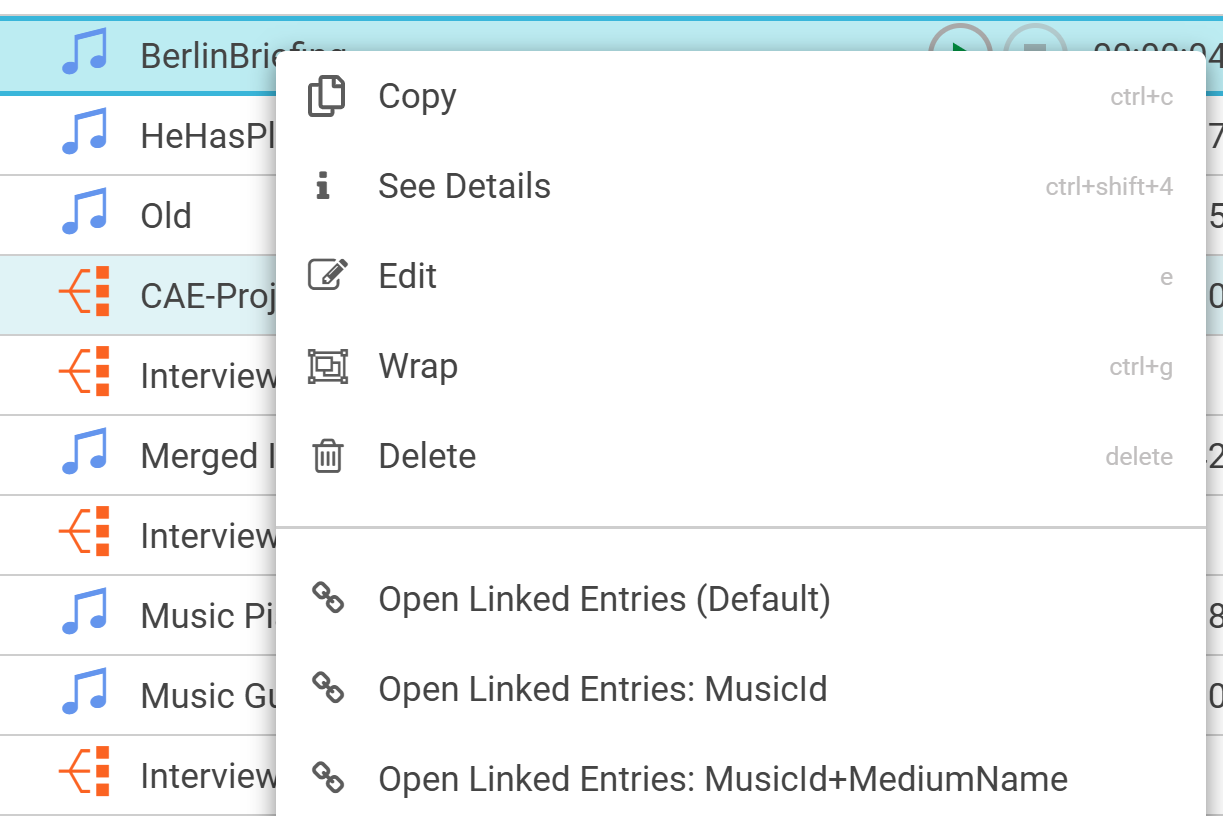
Click on “Open Linked Entries“
The resulting linked entries view will be displayed on the bottom group area and has a link icon to differentiate it from groups and stories
