
Windows authentication allows clients to get DPE tokens without explicitly entering credentials.
Preconditions
-
Active Directory users must be synced to DigaSystem (AD Sync)
-
DPE Nano Services is running with Kestrel (IIS or HttpSys is not supported)
-
DPE Nano Services is running under Windows (currently Linux is not supported directly)
-
Client application must support windows authentication for getting DPE tokens,
e.g. DPE ContentManager >= v3.5.6, DPE Admin >= v3.4.8 -
Kerberos/NTLM must be configured correctly so that clients (e.g. Browsers) are allowed to use it
appsettings.json
Add the following top-level option
"EnableNegotiate": true,
Do not enable this option when running DPE Nano Services in IIS.
IIS is not supported.
Browser Support
Windows authentication is triggered by a backend HTTP response signaling that it wants to negotiate authentication.
If enabled, browsers first try Kerberos authentication (more secure) and if this fails they try to fallback to NTLM authentication (less secure).
Enable automatic windows authentication via Kerberos/NTLM for specific backend URLs.
This can be done by directly modifying windows registry configuration on your client machines or applying group policies by your Administrator.
Chrome
Windows Registry: HKEY_LOCAL_MACHINE\SOFTWARE\Policies\Google\Chrome
-
AuthServerAllowlist = <comma-separated list of DNS names + port where your service is hosted> e.g. dpe.davidsystems-test.com:7878
-
EnableAuthNegotiatePort = 1 (needed when service is not on default ports 80 or 443)
Corresponding Group Policy
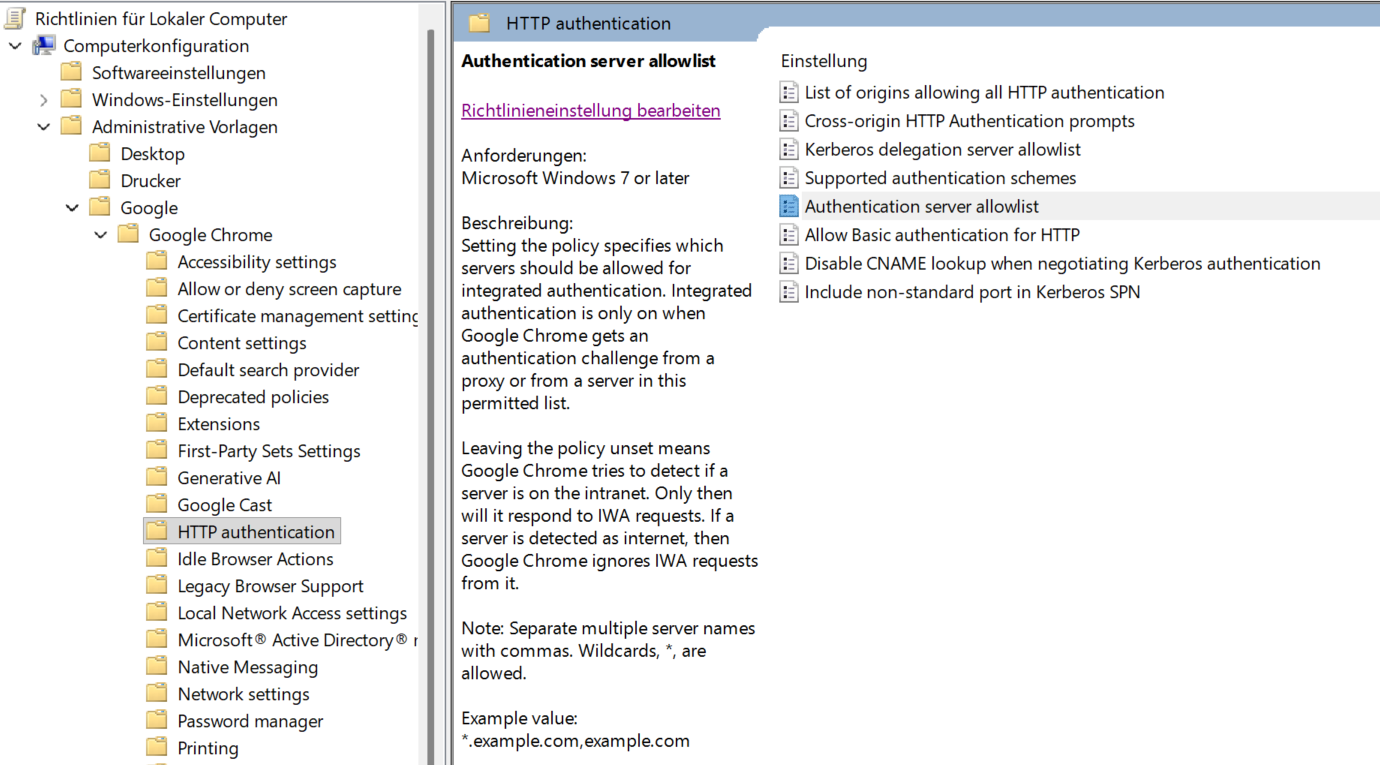
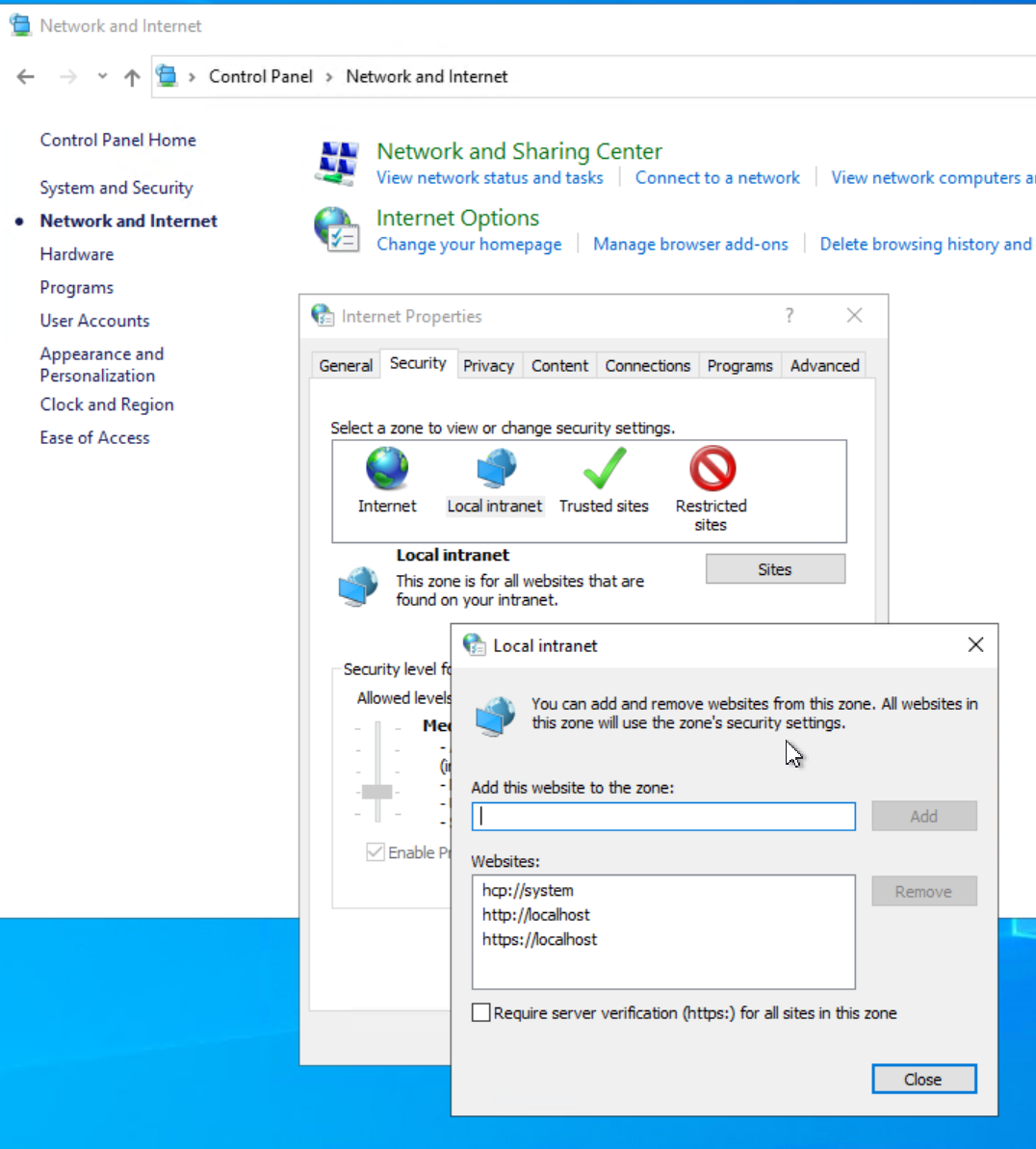
An alternative to setting the AuthServerAllowlist is to add the service URL to Internet Options|Security|Local Internet|Sites, e.g. http://dpe.davidsystems-test.com.
In any case, EnableAuthNegotiatePort must be set to 1 if the service is hosted on a non standard port.
Edge
Group policies or windows registry HKEY_LOCAL_MACHINE\SOFTWARE\Policies\Microsoft\Edge (key names see Chrome above)
Firefox
TODO
Allow Kerberos for DPE Nano Services in Active Directory
Kerberos tickets are issued for a specific service.
Active directory must be configured to allow tickets for such services.
This is done with the setspn tool on your Active Directory machine using the following command:
setspn -S HTTP/<service-address> <domain-user-running-service>
Example:
setspn -S HTTP/dpe.davidsystems-test.com:7878 david-gmbh.de\dpedemo
The syntax requires to use always the text “HTTP” even your service is hosted using HTTPS
TODO:
describe workaround for Linux by using nginx/PAM