
The Audio Output section contains a checkbox field under Selected channel called Use advanced track routing that switches between the usages of one channel pair (Stereo mode) or enables the advanced track routing functionality.
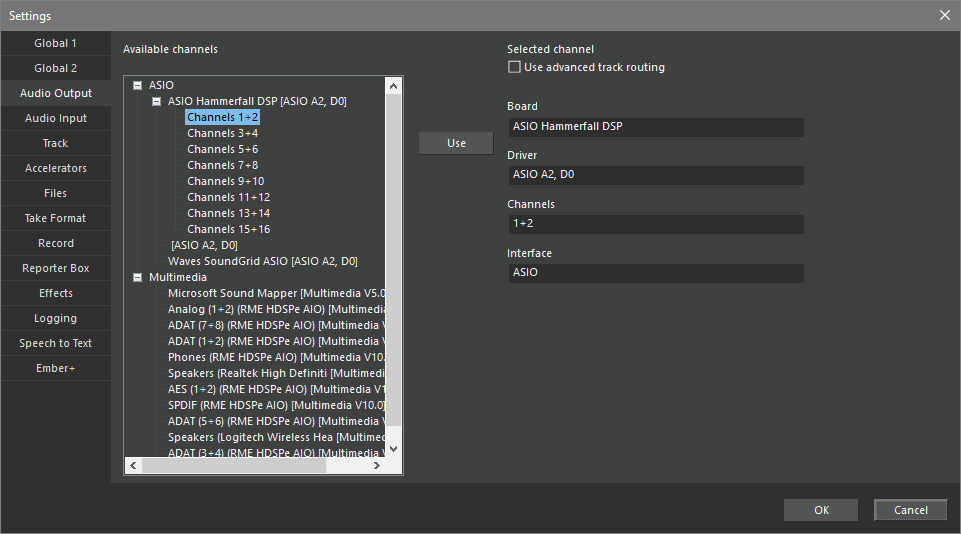
Stereo Mode:
Only one channel pair can be selected.
|
|
Select Channel and click Use to load into right section, Click OK to save configuration |

Advanced Track Routing:
The Multichannel mode is active, if the checkbox for Use advanced track routing is set. Using the multichannel feature works under the following circumstances:
-
Only sound cards with ASIO drivers support this mode.
-
Only channels of the SAME card can be defined.
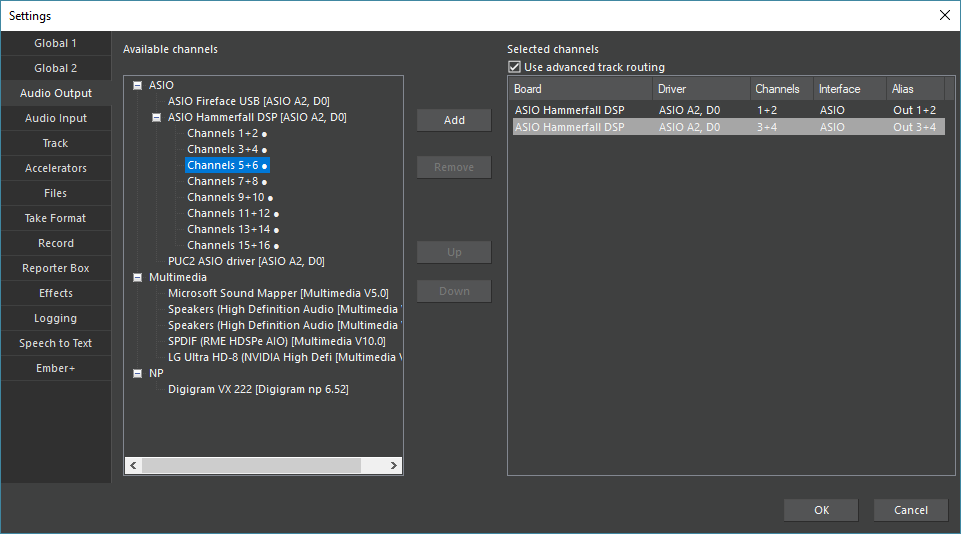
The field Available channels lists all available channels, sorted as Driver model – sound card – Channel.
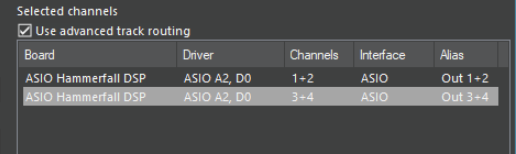
The field Selected channels lists the current channel assignments:
|
Board |
Name of the sound card |
|
Driver |
Name of the sound card driver |
|
Channels |
Selected channels |
|
Interface |
Driver type (ASIO, Multimedia or NP) |
|
Alias |
Output channel assignment (selectable in the track head, see also Track Routing) |
The buttons affect the field Selected channels:
|
|
Click a selected sound card channel in the Available channels field to add it to the Selected channels |
|
|
Delete a channel assignment |
|
|
Move a channel pair up in the list; this changes the Alias assignment |
|
|
Move a channel pair down in the list; this changes the Alias assignment |


If the option Use advanced track routing is deactivated, all assignments remain stored in stereo mode, the output is routed to the first channel until the option is reactivated.