
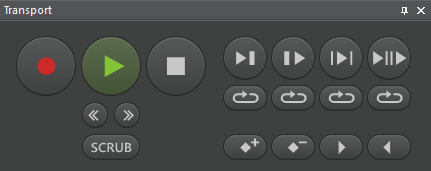
The Transport pane appears in different variants, depending on current screen.
MultiTrack Screen Transport Pane
EasyTrack Screen Transport Pane

Reporter Box Screen Transport Pane
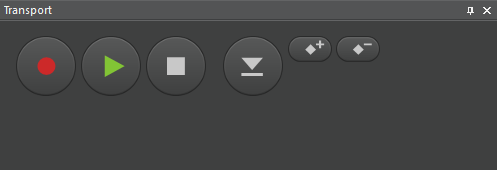
Record Mode Screen Transport Pane
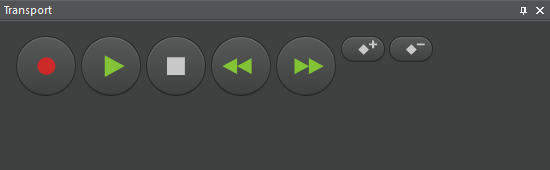
SingleTrack Screen Transport Pane
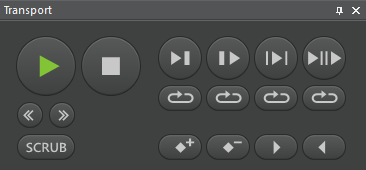
Transport Buttons
|
Button |
Function |
Description |
|---|---|---|
|
|
Record |
Activates record wait state, which then is indicated by red blinking. Press Play then to start recording. Red background indicates recording is running. Only MTS, RBS: When pressed while playback, concurrent recording is started. |
|
|
Play |
Starts playback at the current soundhead position. Green background indicates playback is running. |
|
|
Stop |
Stops running playback or recording. Soundhead remains at current position. |
|

|
Fast rewind
|
Starts fast backward playback. |
|
|
Fast forward
|
Starts fast forward playback. |
|
|
Skip -1 |
Decreases scrub speed by one step. |
|
|
Skip +1 |
Increases scrub speed by one step. |
|
|
Scrub |
Opens the scrub bar. |
|
|
Play to |
Steps back some seconds from current soundhead position, starts playback and stops at original soundhead position. |
|
|
Play from |
Starts playback for some seconds, then sets soundhead back to original position. |
|
|
Play inside |
Playback selection: Starts playback at mark in position until mark out, then sets soundhead back to original position. |
|
|
Play outside |
Playback before and after selection: Starts playback some seconds before mark in, jumps from mark in to mark out position, then sets soundhead back to original position. |
|
|
Loop |
Starts looping the function of the button above. |
|
|
Add marker |
Add a marker at current soundhead position. |
|
|
Delete marker |
Remove marker near current soundhead position. |
|
|
In marker |
Set mark in to current soundhead position. |
|
|
Out marker |
Set mark out to current soundhead position. |
|
|
Edit mode
|
Switches to edit mode. |
|
|
Volume mode
|
Switches to volume mode. |
|
|
Edit type
|
Selection of a specific edit type
|
|
|
Paste clip
|
Inserts the next clip at the current soundhead position. |


