
When logged in as ADMIN the Program menu offers the option Manage column settings.
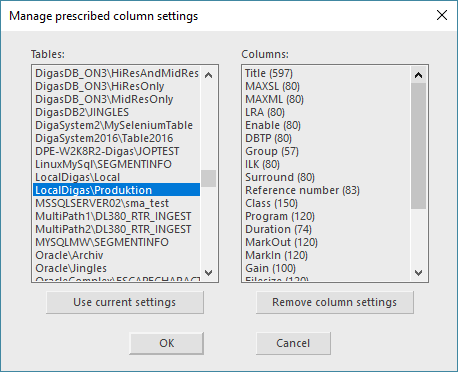
This dialog allows the administrator to define a table configuration globally for all DigaSystem users. The Admin's current configuration under Program→ Settings→ Columns can be locked for single tables (not editable by users).
|
Tables: |
Lists up all tables |
|
Columns: |
Shows the differences from the default column configuration |
If a table uses the default column setting, the Columns field will be empty.
Now you have the following options:
|
Use current settings |
Lock these column settings for normal users (the columns cannot be edited in the DBM settings |
|
Remove column settings |
Reset the table columns back to default settings. |