
Older versions of Database Manager (DBM) stored music marker values in two metadata locations:
-
as entry properties and
-
as a special type of subclip (with subclip types 'MarkIn_1', 'MarkOut_1', 'LinkIn_1', 'LinkOut_1', 'FadeIn_1', 'FadeOut_1', 'Intro_1', 'Intro2_1', 'Outro_1', 'Outro2_1', 'HookIn_1', 'HookOut_1')
These special subclips are obsolete and should be deleted.
Microsoft SQL database server
Execute following script in e.g. MS SQL Management Studio.
Replace
-
DigaSystem with the name of your database
-
Table with the name of your table
DELETE
FROM [DigaSystem].[david].[Table_C]
WHERE RESERVE1 IN ('MarkIn_1', 'MarkOut_1', 'LinkIn_1', 'LinkOut_1', 'FadeIn_1', 'FadeOut_1', 'Intro_1', 'Intro2_1', 'Outro_1', 'Outro2_1', 'HookIn_1', 'HookOut_1')
MySQL database server
Execute following script in e.g. MySQL Workbench.
Replace
-
DigaSystem with the name of your database
-
Table with the name of your table
DELETE
FROM DigaSystem.Table_C
WHERE RESERVE1 IN ('MarkIn_1', 'MarkOut_1', 'LinkIn_1', 'LinkOut_1', 'FadeIn_1', 'FadeOut_1', 'Intro_1', 'Intro2_1', 'Outro_1', 'Outro2_1', 'HookIn_1', 'HookOut_1')
Oracle database server
Execute following script in e.g. SQL Developer.
Replace
-
DigaSystem with the name of your database
-
Table with the name of your table
USE DATABASE DigSystem;
DELETE
FROM Table_C
WHERE RESERVE1 IN ('MarkIn_1', 'MarkOut_1', 'LinkIn_1', 'LinkOut_1', 'FadeIn_1', 'FadeOut_1', 'Intro_1', 'Intro2_1', 'Outro_1', 'Outro2_1', 'HookIn_1', 'HookOut_1')
MS Access database
Execute a SQL delete command in SqlHelper.exe from DAVID Systems.
You can get this software from DAVID Support Team, just contact support@davidsystems.com
-
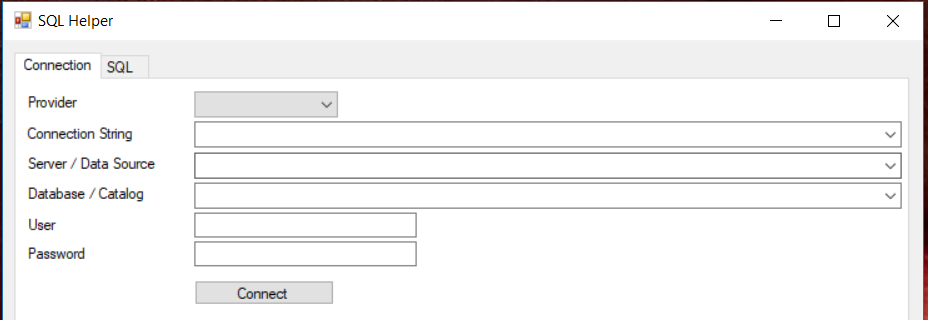
Start SqlHelper.exe
-
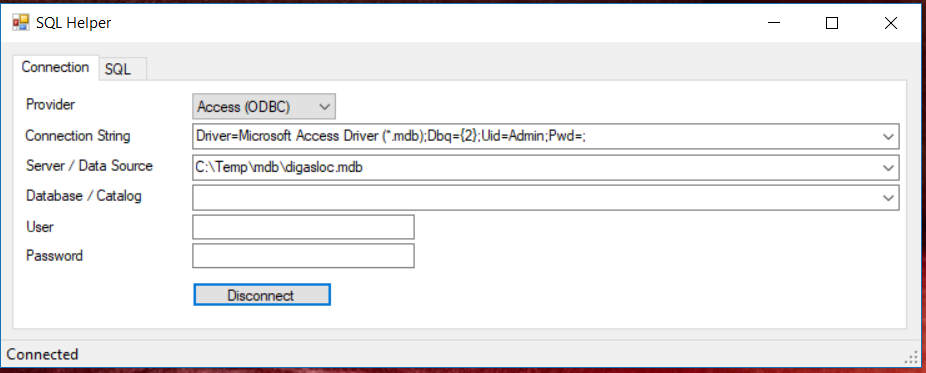
Select "Access (ODBC)" as Provider
-
Enter the path to your Access database (mdb file) in Server/DataSource.
-
Click "Connect"
-
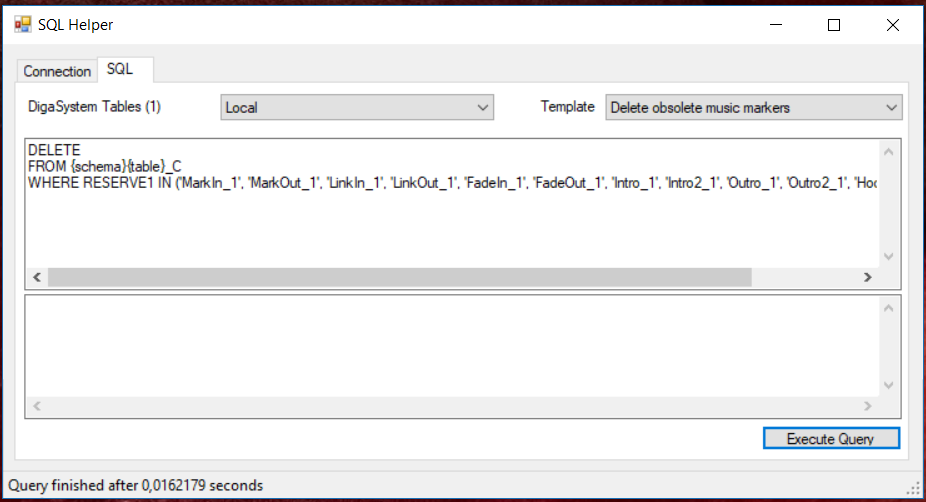
Navigate to the SQL tab
-
Select a DigaSystem table, e.g. "Local"
-
Select "Delete obsolete music markers" from Templates
-
Click "Execute Query"