
There are a lot of components in DPE which are shared between applications e.g. ContentManager, SubclipEditor, RoughcutEdit, Admin, SystemMonitor. Configuring these component inside |Common|DPEUISchemes|<NameOfScheme>| will make them look consistent everywhere. Of course, these component stylings can be adapted at application level.
Cross-application UI Theme configuration
Valid for all DPE Web Applications
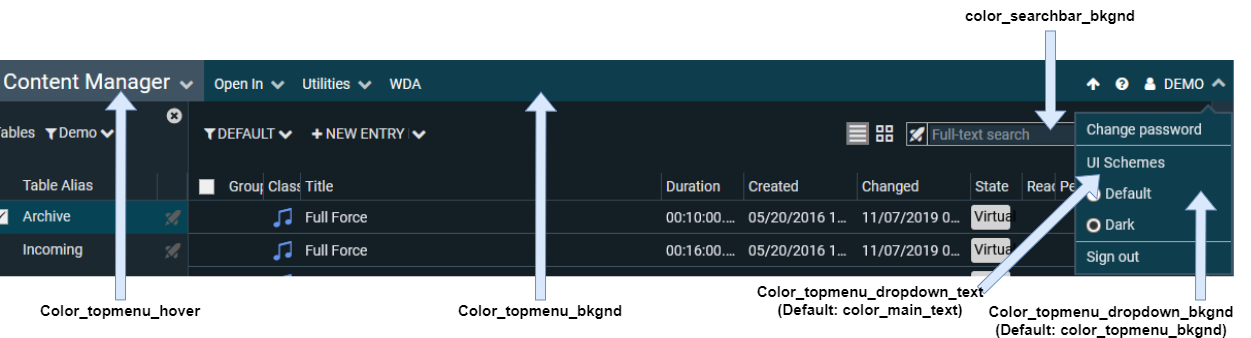
Main Navigation
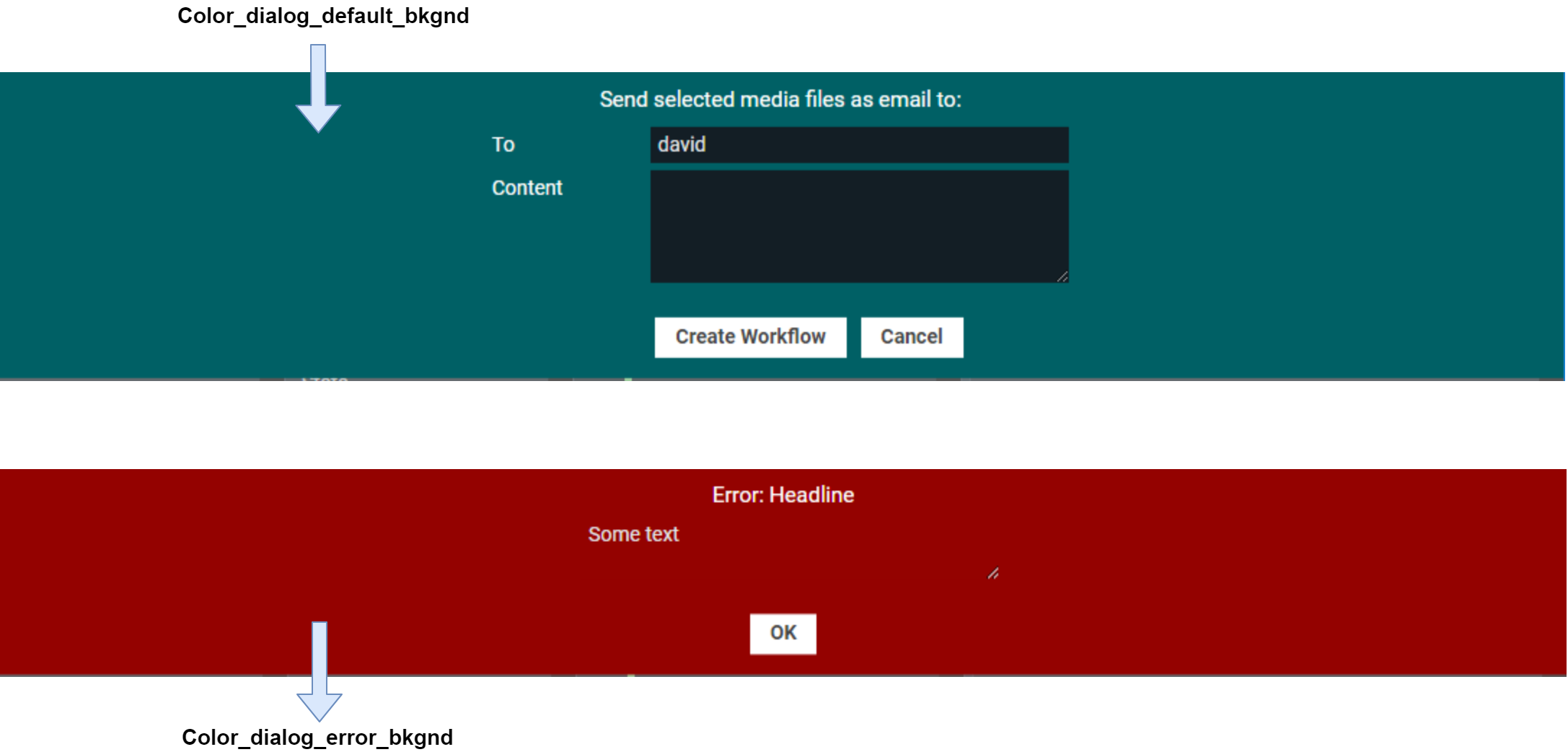
Dialog Boxes
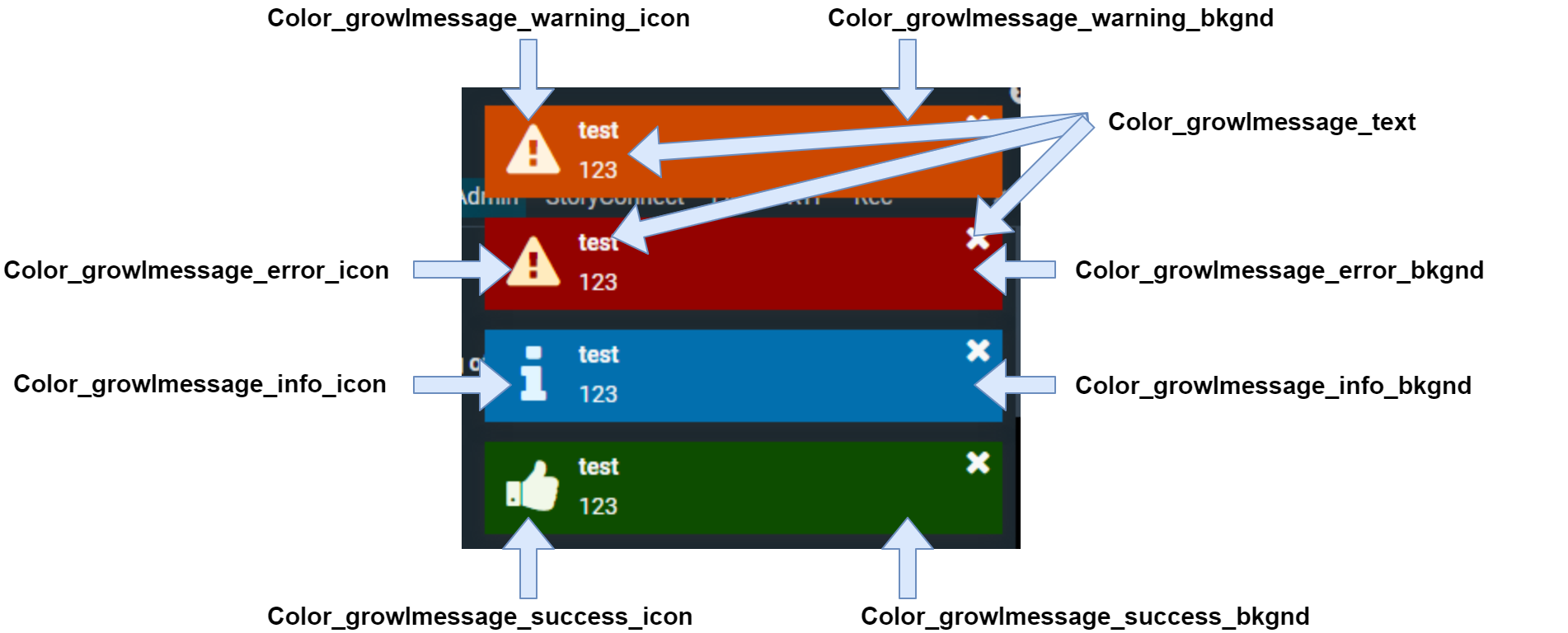
Growl Messages
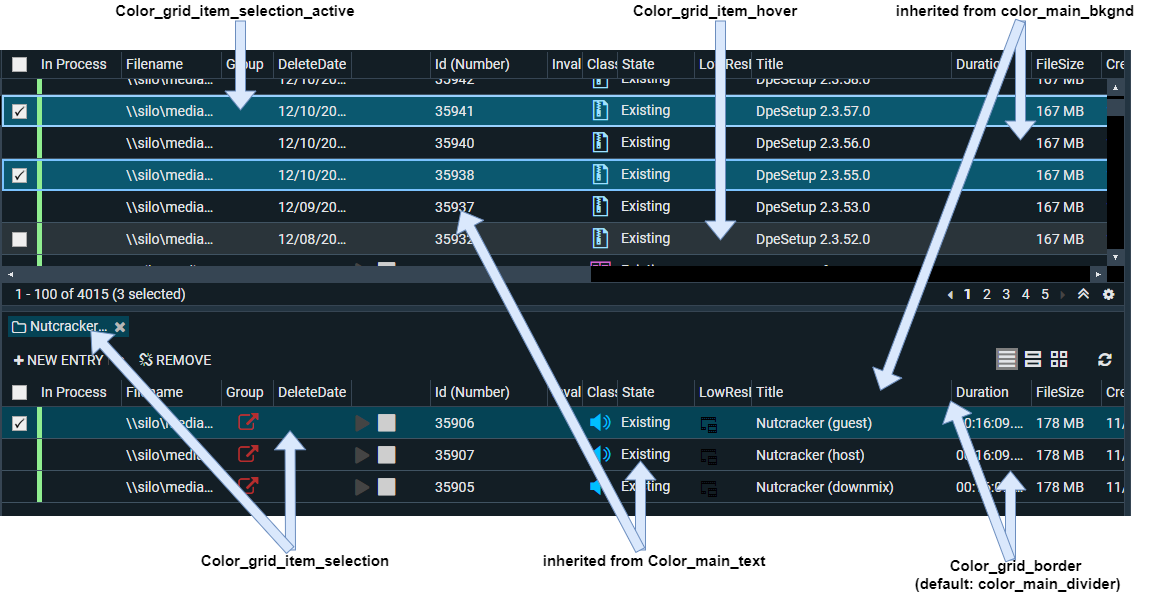
Grid
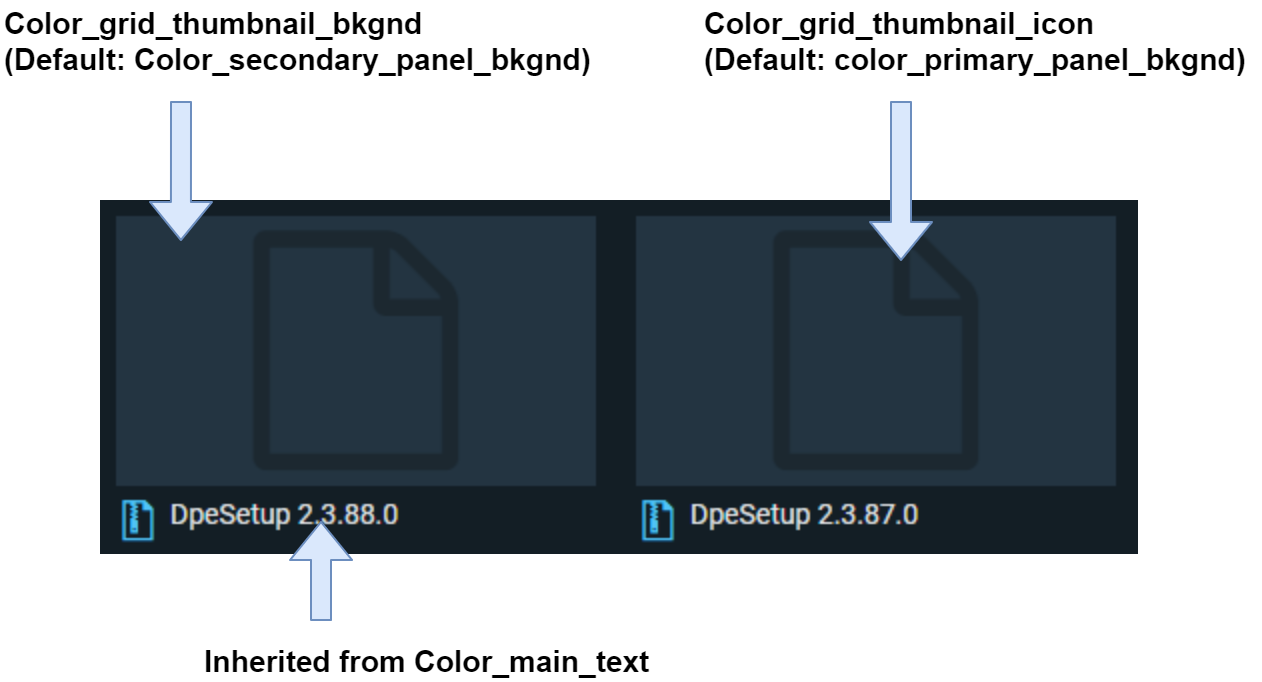
Grid Thumbnail
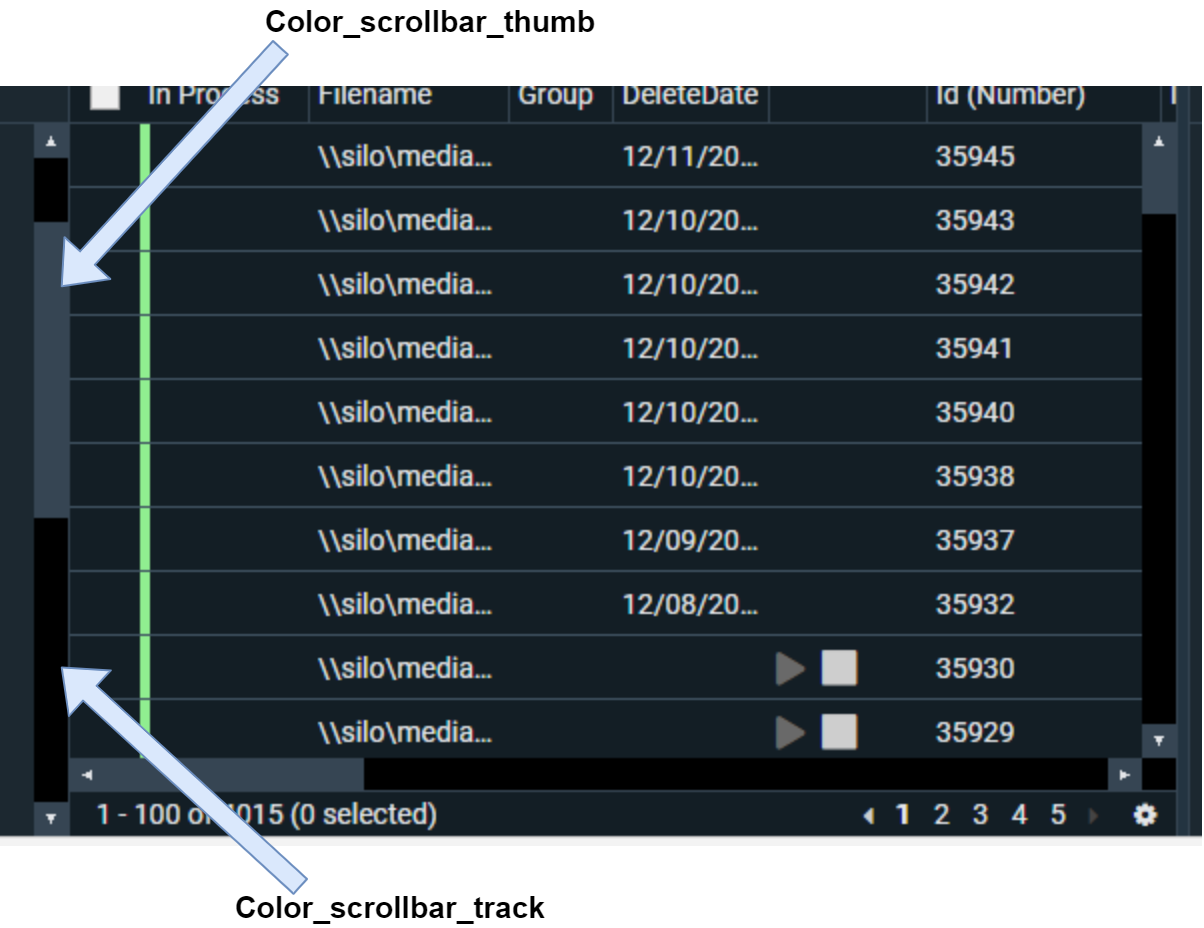
Scroll Bars
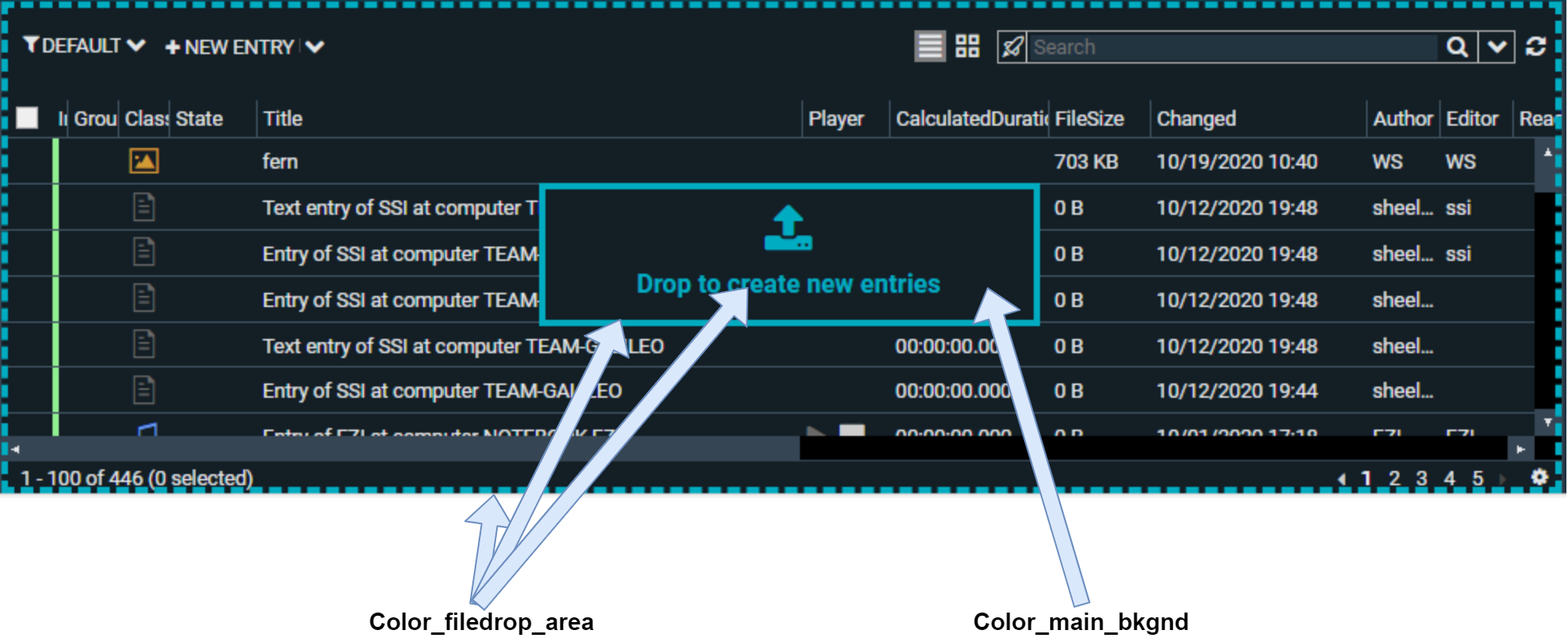
File Drop Area
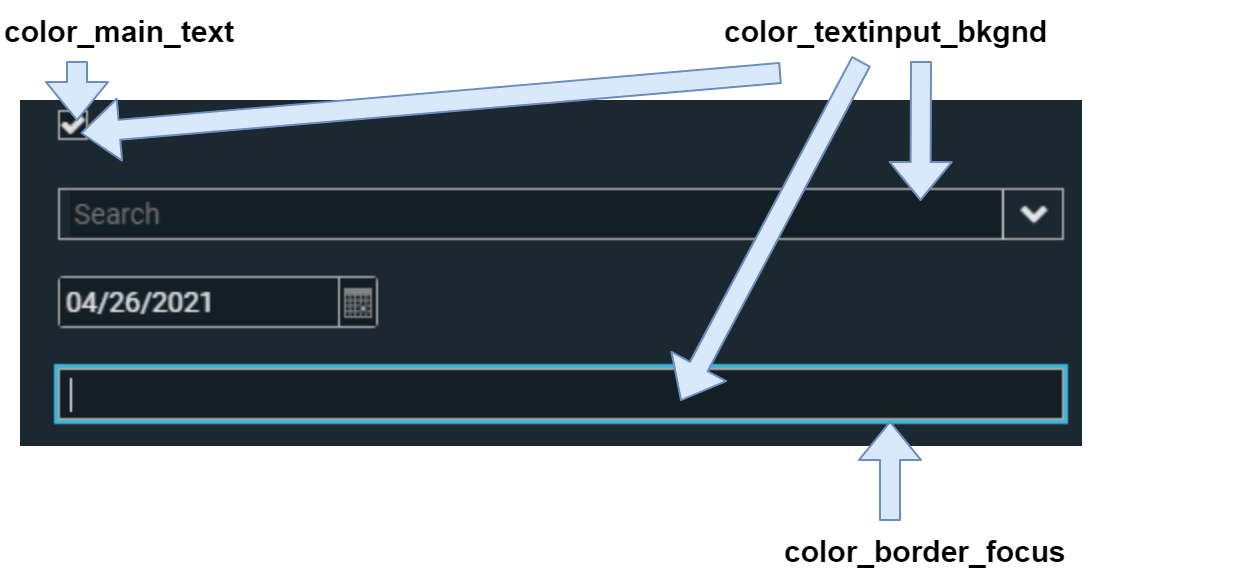
Input Components
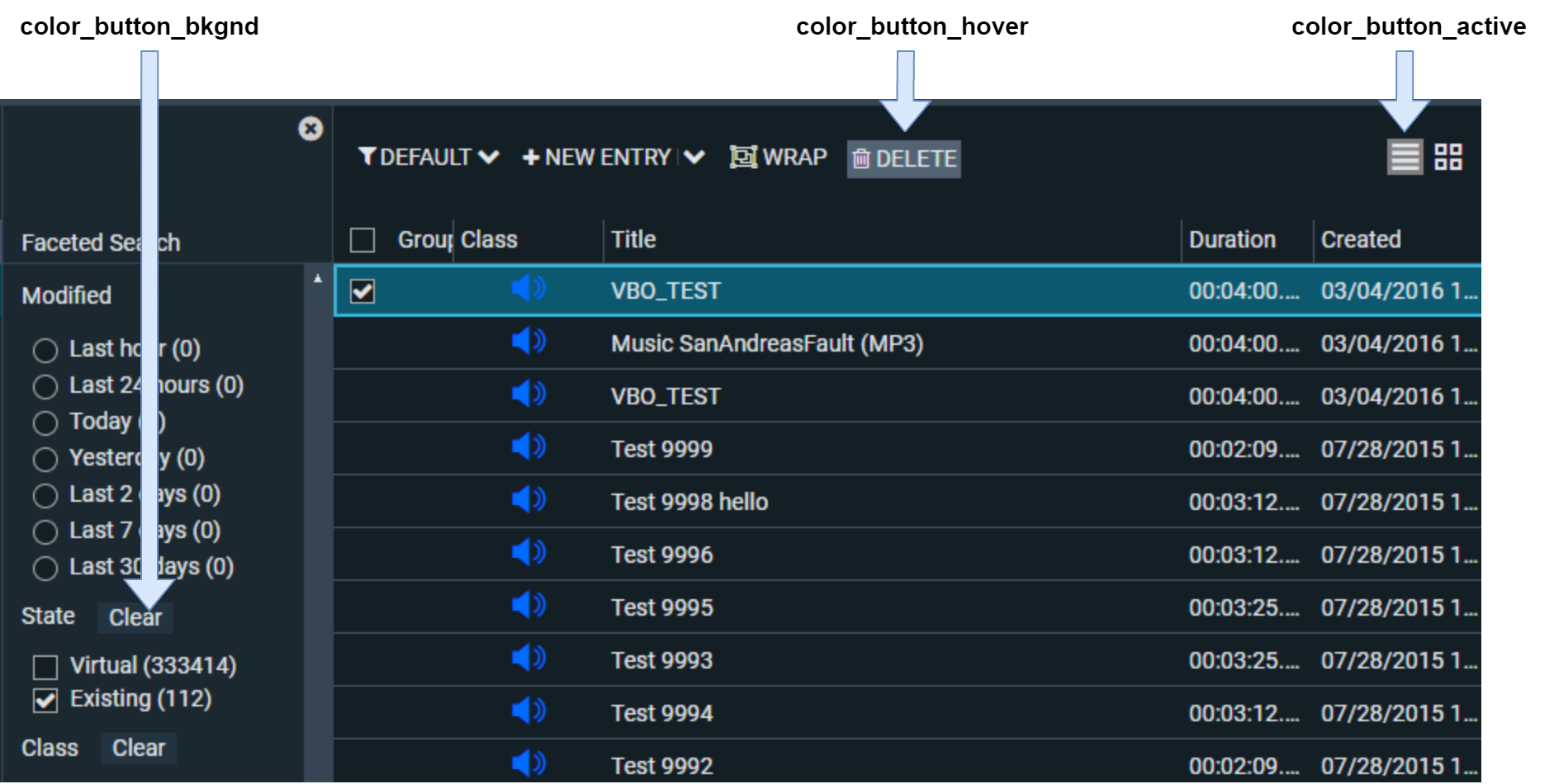
Standard Buttons
Application specific UI theme configurations
Content Manager
See UI Theme Configuration in CM
Subclip Editor
See UI Theme Configuration in SCE
RoughCut Edit
See UI Theme Configuration in RCE
System Monitor
See UI Theme Configuration in System Monitor