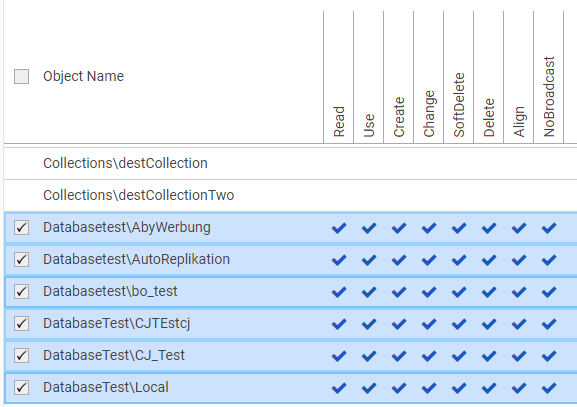
Multiple rights can be granted or removed for a user or group by
-
Selecting the object names which should be changed
-
Clicking with Alt+Right mouse button onto the wished right column for setting / removing this right for all selected objects
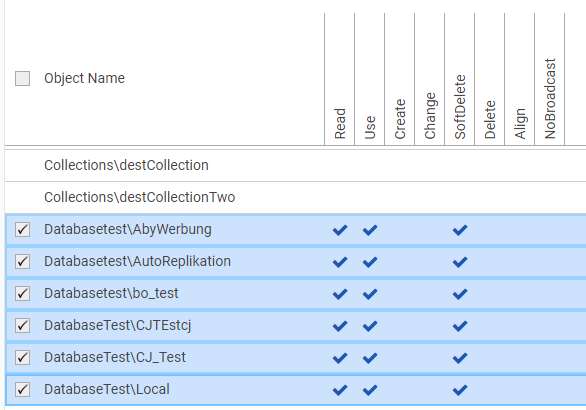
-
It is also possible to click into the marked checkbox area with Alt+Right mouse button for setting / removing all columns at once