Organizing users and groups in Active Direcotry
Microsoft recommends to organize users and groups in the following way.
-
Security groups that hold permissions (and normally have no users as members)
-
Access groups that are members of security groups and have users as members (in theory access groups can be nested but it is not recommended)
-
Users gain permissions indirectly; they are member of access groups which are members of security groups
Note: Security and access groups are not technical properties but describe the usage of groups
Mapping Active Directory (AD) to DigaSystem (DS)
The only groups that have to be synchronized to DigaSystem are security groups. But not all security groups are holding DigaSystem permissions.
To identify DigaSystem-relevant security groups you specify an organizational unit (OU) in Active Directory which will be the root for all sync operations:
-
Groups in the AdSync root OU will be synced
-
Users in the AdSync root OU will be synced
-
Users that are directly or indirectly in groups of the AdSync root OU will be synced
-
In DigaSystem memberships of users are inherited to the top-level security group
The LDAP path specified in the ADSync configuration is used as synchronization root. Only users and groups referenced in this OU (organizational unit) are synchronized to the DigaSystem.
Configuration example in AdSync:
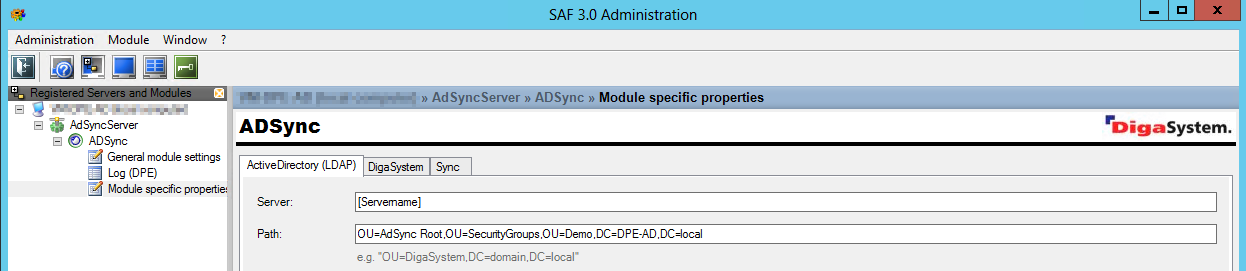
Synchronization Root
ADSync supports LDAP (and GC-style path specifications). A path starting with "LDAP://" (or no prefix) references a domain controller, a path starting with "GC://" references a global catalog server (this is kind of an index of AD content): Not all information available in a domain controller is available in a global catalog, e.g. local group information is not synchronized to a global catalog.
Example AD tree:
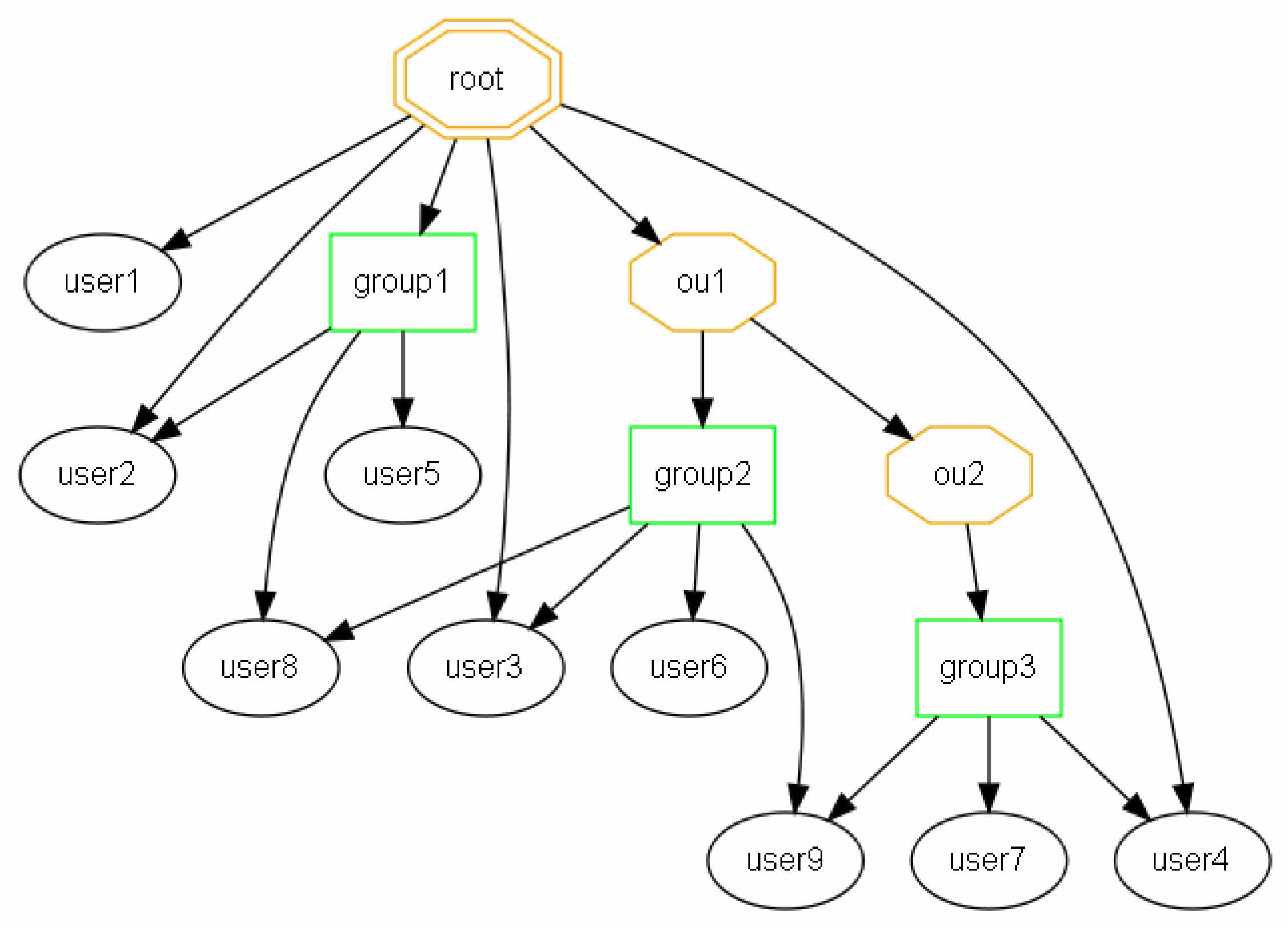
Because of LDAP restrictions, the following rules will be applied to the AD-tree:
-
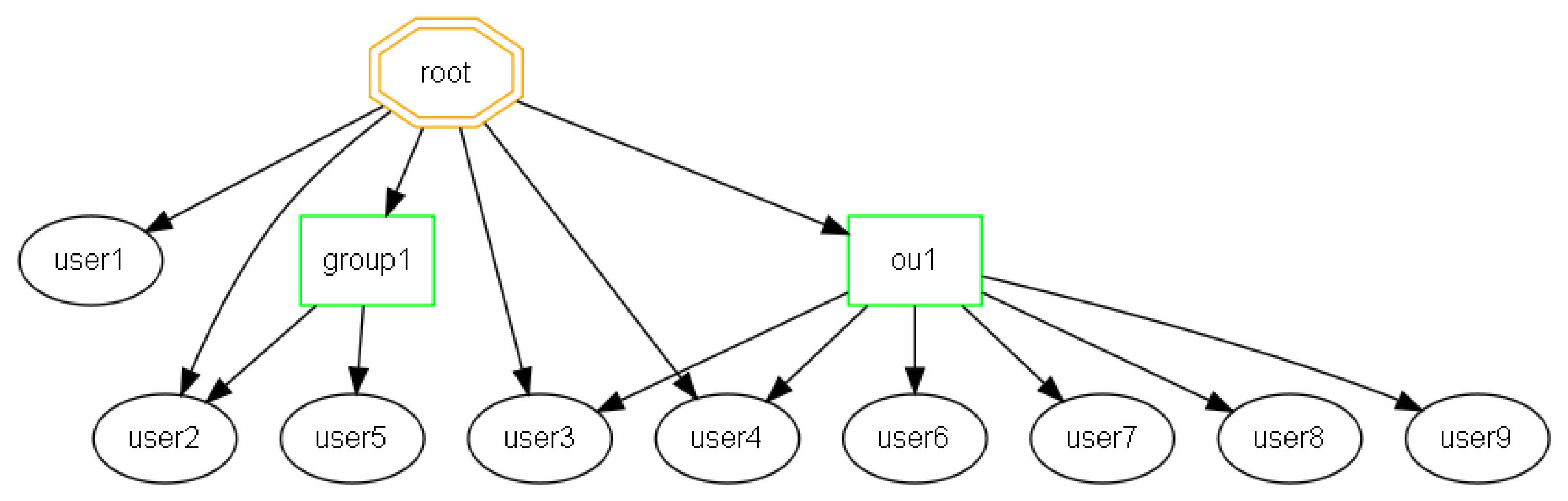
Only containers on 1st level will be synced to DigaSystem groups ("group1" and "ou1" on the picture above).
-
Containers of 2nd and deeper levels are only used to overcome LDAP restrictions and are not created on the DigaSystem side during synchronization process. However, all user from these containers are synchronized recursively and are linked to the related 1st level ancestor.
-
Users can be member of more than one group.
Resulting DigaSystem tree:
Examples
Active Directory View
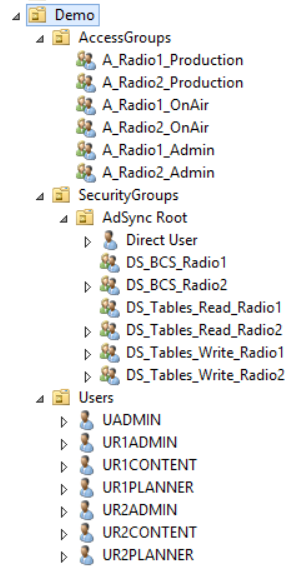
Membership
|
Security Group |
Contains Access Groups... |
|
|
|---|---|---|---|
|
DS_BCS_Radio1 |
A_Radio1_Admin |
A_Radio1_OnAir |
|
|
DS_BCS_Radio2 |
A_Radio2_Admin |
A_Radio2_OnAir |
|
|
DS_Tables_Read_Radio1 |
A_Radio1_Admin |
A_Radio1_OnAir |
A_Radio1_Production |
|
DS_Tables_Write_Radio1 |
A_Radio1_Admin |
|
A_Radio1_Production |
|
DS_Tables_Read_Radio2 |
A_Radio2_Admin |
A_Radio2_OnAir |
A_Radio2_Production |
|
DS_Tables_Write_Radio2 |
A_Radio2_Admin |
|
A_Radio2_Production |
|
Access Group |
Member in... |
|
|
|---|---|---|---|
|
A_Radio1_Production |
DS_Tables_Read_Radio1 |
DS_Tables_Write_Radio1 |
|
|
A_Radio2_Production |
DS_Tables_Read_Radio2 |
DS_Tables_Write_Radio2 |
|
|
A_Radio1_OnAir |
DS_Tables_Read_Radio1 |
|
DS_BCS_Radio1 |
|
A_Radio2_OnAir |
DS_Tables_Read_Radio2 |
|
DS_BCS_Radio2 |
|
A_Radio1_Admin |
DS_Tables_Read_Radio1 |
DS_Tables_Write_Radio1 |
DS_BCS_Radio1 |
|
A_Radio2_Admin |
DS_Tables_Read_Radio2 |
DS_Tables_Write_Radio2 |
DS_BCS_Radio2 |
|
User |
Member in... |
|
|
|
|---|---|---|---|---|
|
UADMIN |
A_Radio1_Admin |
A_Radio2_Admin |
|
|
|
UR1ADMIN |
A_Radio1_Admin |
|
|
|
|
UR1CONTENT |
|
|
A_Radio1_Production |
|
|
UR1PLANNER |
|
|
|
A_Radio1_OnAir |
|
UR2ADMIN |
|
A_Radio2_Admin |
|
|
|
UR2CONTENT |
|
|
A_Radio2_Production |
|
|
UR2PLANNER |
|
|
|
A_Radio2_OnAir |
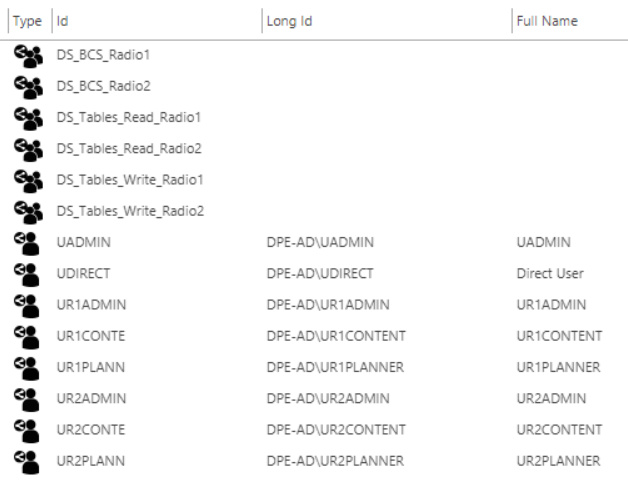
DigaSystem View