
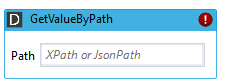
Retrieves a value in a XML or JSON document. The location of the value is specified by XPath or JsonPath.
Properties
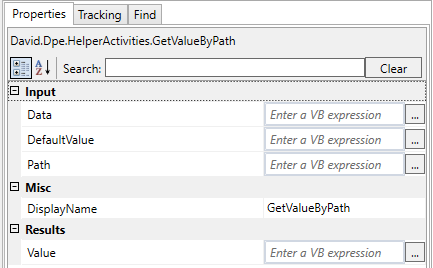
Input
|
Name |
Description |
|---|---|
|
Data |
A string containing a XML or JSON document. |
|
Path |
A XPath or JsonPath query. |
|
DefaultValue |
Returned when node specified by Path cannot be found. |
Output
|
Name |
Description |
|---|---|
|
Value |
Value of node specified by Path (or DefaultValue). |
Path Expression
|
XPath |
JSONPath |
Description |
|---|---|---|
|
/ |
$ |
the root object/element |
|
. |
@ |
the current object/element |
|
/ |
.or[] |
child operator |
|
.. |
n/a |
parent operator |
|
// |
.. |
recursive descent. JSONPath borrows this syntax from E4X. |
|
* |
* |
wildcard.All objects/elements regardless their names. |
|
@ |
n/a |
attribute acces. JSON structures don't have attributes. |
|
[ ] |
[ ] |
subscript operator. XPath uses it to iterate over element collections and for predicates. In Javascript and JSON it is the native array operator |
|
I |
[,] |
Union operator in XPath results in a combination of node sets. JSONPath allows alternate names or array indices as a set. |
|
n/a |
[start:end:step] |
array slice operator borrowed from ES4 |
|
[ ] |
?( ) |
applies a filter (script) expression. |
|
n/a |
( ) |
script expression, using the underlying script engine |
|
( ) |
n/a |
group in Xpath |
Example
XML
Set Data to
<Root>
	<Test attr="myAttr" >123</Test>
</Root>
Set Path to "Root/Test"
Get back "123"
JSON
Set Data to
{
"Test": 123,
 "Folder": {
	"Sub": "abc"
		   }
}
Set Path to "$.Folder.Sub"
Get back "abc"