
Windows
-
Ensure that all Prerequisites are installed
-
Open a command line window and navigate to the folder where you copied DpeNanoServices to
-
Optionally adapt your configuration in the appsettings.json file
-
Run
DpeNanoServices.exe -
Alternatively you can run
dotnet DpeNanoServices.dll
You should see the following:
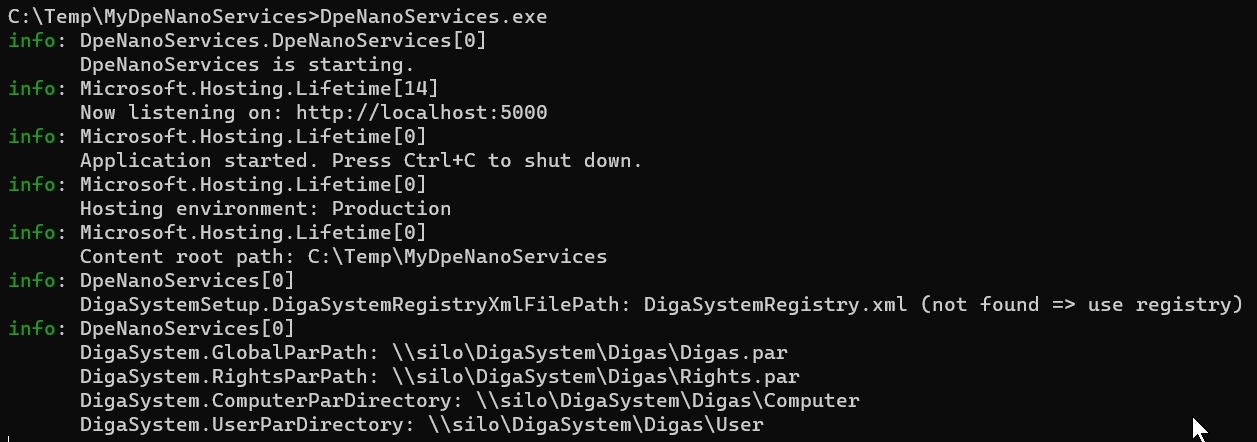
DpeNanoServices starts with the following defaults:
-
Listening on http://localhost:5000; also see Changing the hosting URL
-
Hosting environment is Production; also see Changing the hosting environment
-
DigaSystem parameter files will be taken from the locations specified in the windows registry; also see How and Where DigaSystem parameter files are searched
Linux
-
Ensure that all Prerequisites are installed
-
Navigate to the folder where you copied DpeNanoServices to
-
Optionally adapt your configuration in the appsettings.json file
-
Run
dotnet DpeNanoServices.dll
You should see the following:
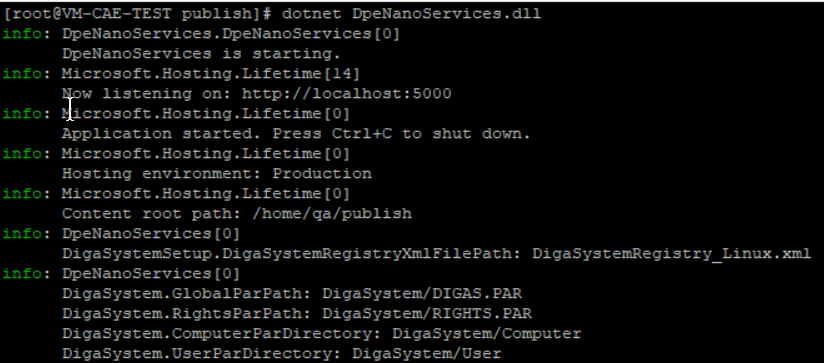
DpeNanoServices starts with the following defaults:
-
Listening on http://localhost:5000; also see Changing the hosting URL
-
Hosting environment is Production; also see Changing the hosting environment
-
DigaSystem parameter files will be taken from local DigaSystem folder in current directory. This is the default configuration specified in the file DigaSystemRegistry_Linux.xml. Also see How and Where DigaSystem parameter files are searched
-
Also see Mapping UNC shares to Linux mounts