
Command line start error message: “Access to the registry key 'HKEY_LOCAL_MACHINE\SOFTWARE\Wow6432Node\DAVID\Registry' is denied”
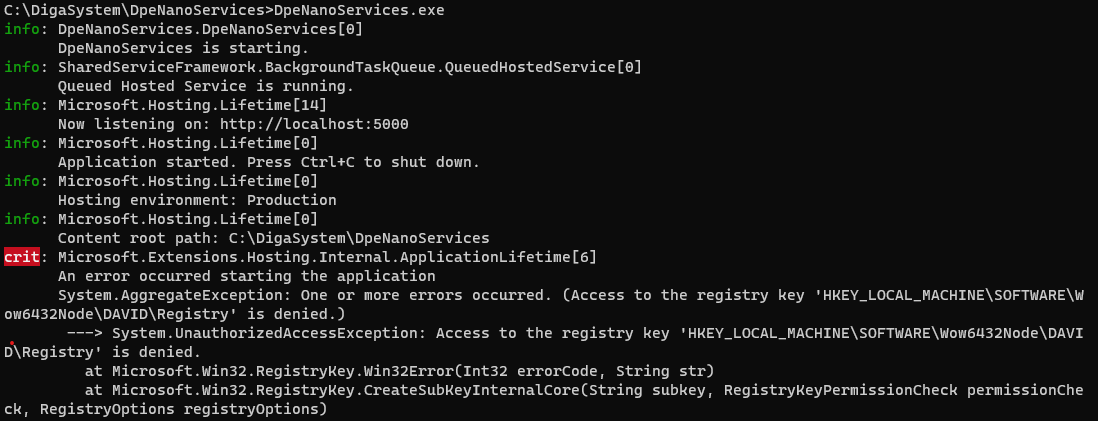
This error occurs when DpeNanoService want to create the mentioned Registry Key as normal user without admin rights.
Please check if you have any of the following dependencies:
-
Local DigaSystem installation with access to the DigaSystem Parameter files
-
Create the missing Registry Keys
-
Create a valid DigaSystemRegistry.xml in the DpeNanoSercices application directory
Also see How and Where DigaSystem parameter files are searched
Error message: “A fatal error occurred when attempting to access the TLS Server credential private key”
You might see this in your Windows event log:
A fatal error occurred when attempting to access the TLS Server credential private key. The error code returned from the cryptographic module is 0x8009030D. The internal error state is 10001. The SSPI client process is DpeNanoServices (PID: 1812).
First, start your console with windows Administrator rights to check if https works with Administrator credentials . If it runs with Administrator rights, grant read rights for the user to the certificate used.