
-
Open Control Panel -> Programs and Features -> Turn Windows Features on or off
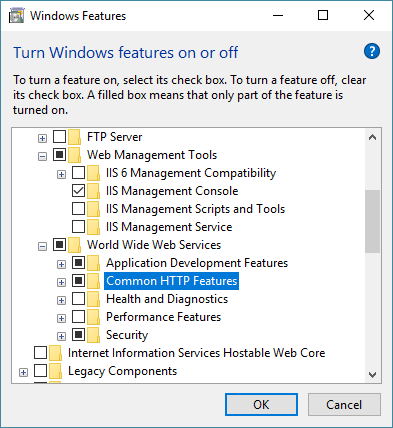
- Enable IIS and IIS management console
- Select "Web Management Tools"
- Select "Common HTTP Features" -
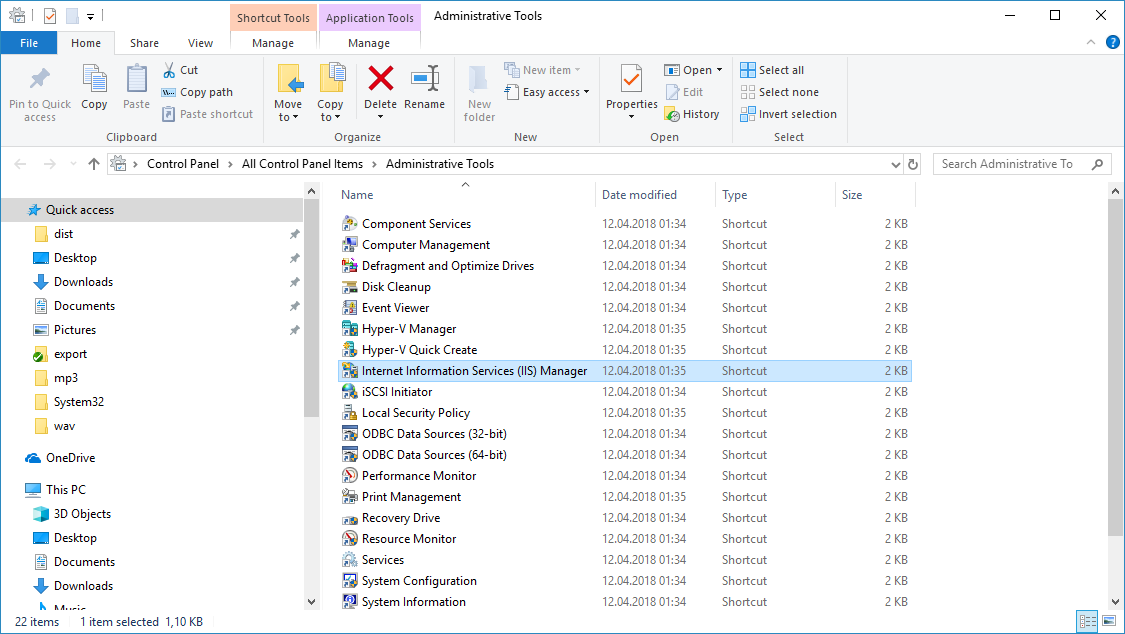
Open IIS Management console
-
Open Internet Information Services (IIS) Manager
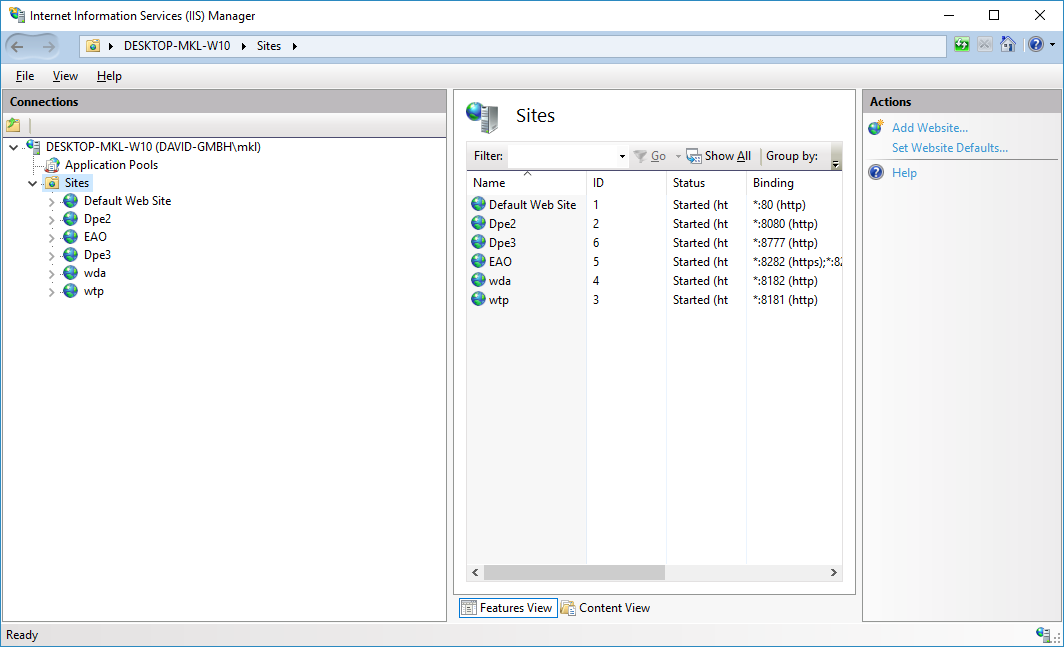
-
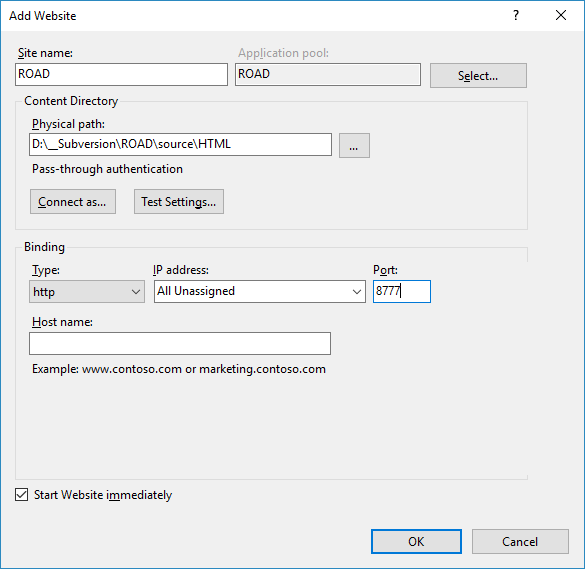
Press "Add Website..."
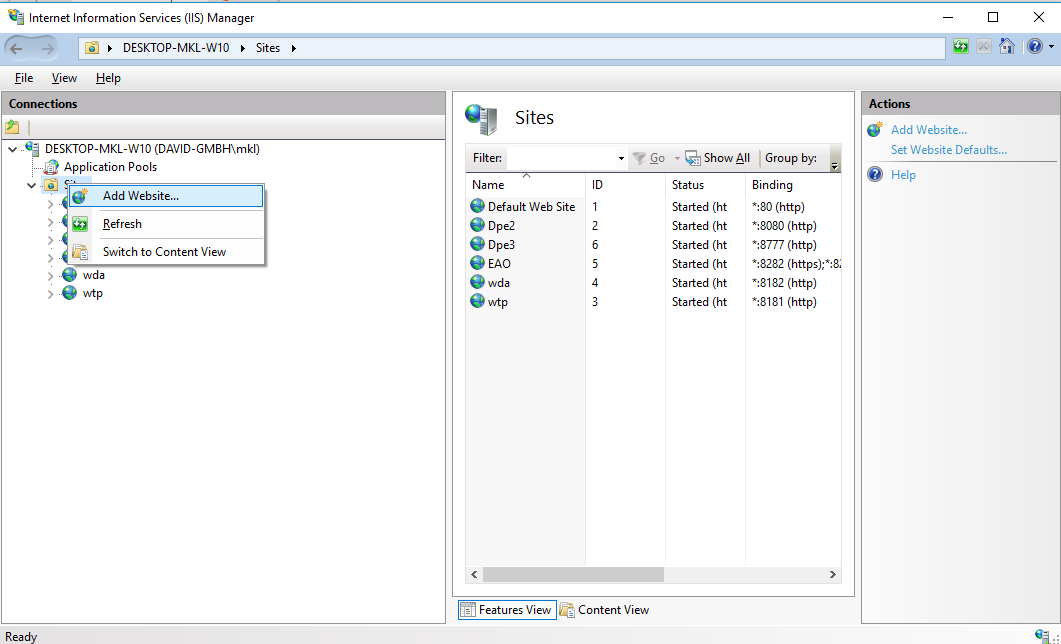
-
Configure new Site and press "Ok"
-
Open ROAD Site in Browser