
This page describes the upgrade installation of Rundown Broker on the local computer from the command line.
The installation scenario requires that an older version of Rundown Broker be already installed and operational.
Installation instructions
-
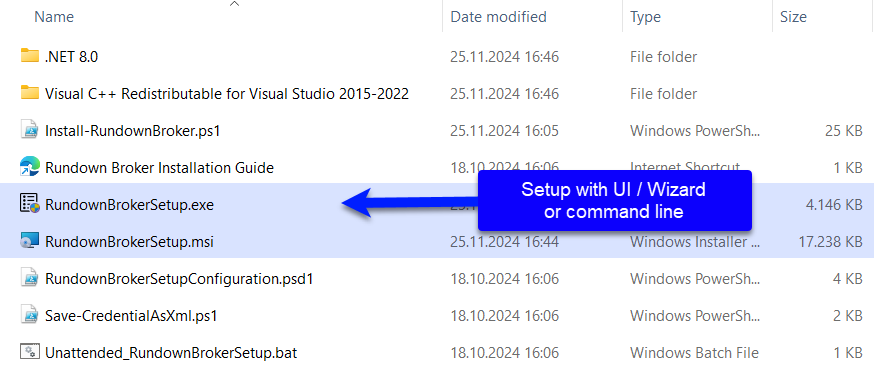
Copy the entire installation folder (
Setup) into a local directory, referred to as<local_Rundown_Broker_Setup_folder>.
-
Open a command line window with elevated rights. Press Windows+R, to open the Run dialog, type
cmdand press Ctrl+Shift+ENTER. -
Type
cd <local_Rundown_Broker_Setup_folder>and press ENTER, to change the current directory to the path whereRundownBrokerSetup.exeis located. -
Type
RundownBrokerSetup.exe /L*V setup.log /qnand press ENTER, to start the installation.
The parameter /L*V setup.log directs the system to create a verbose log in the file named setup.log. The /qn parameter specifies that the installation should proceed without user interaction.
All configuration settings from the previous installation are preserved.