
This page provides instructions for verifying the successful installation and configuration of TurboPlayer Service, and ensuring it is functioning correctly.
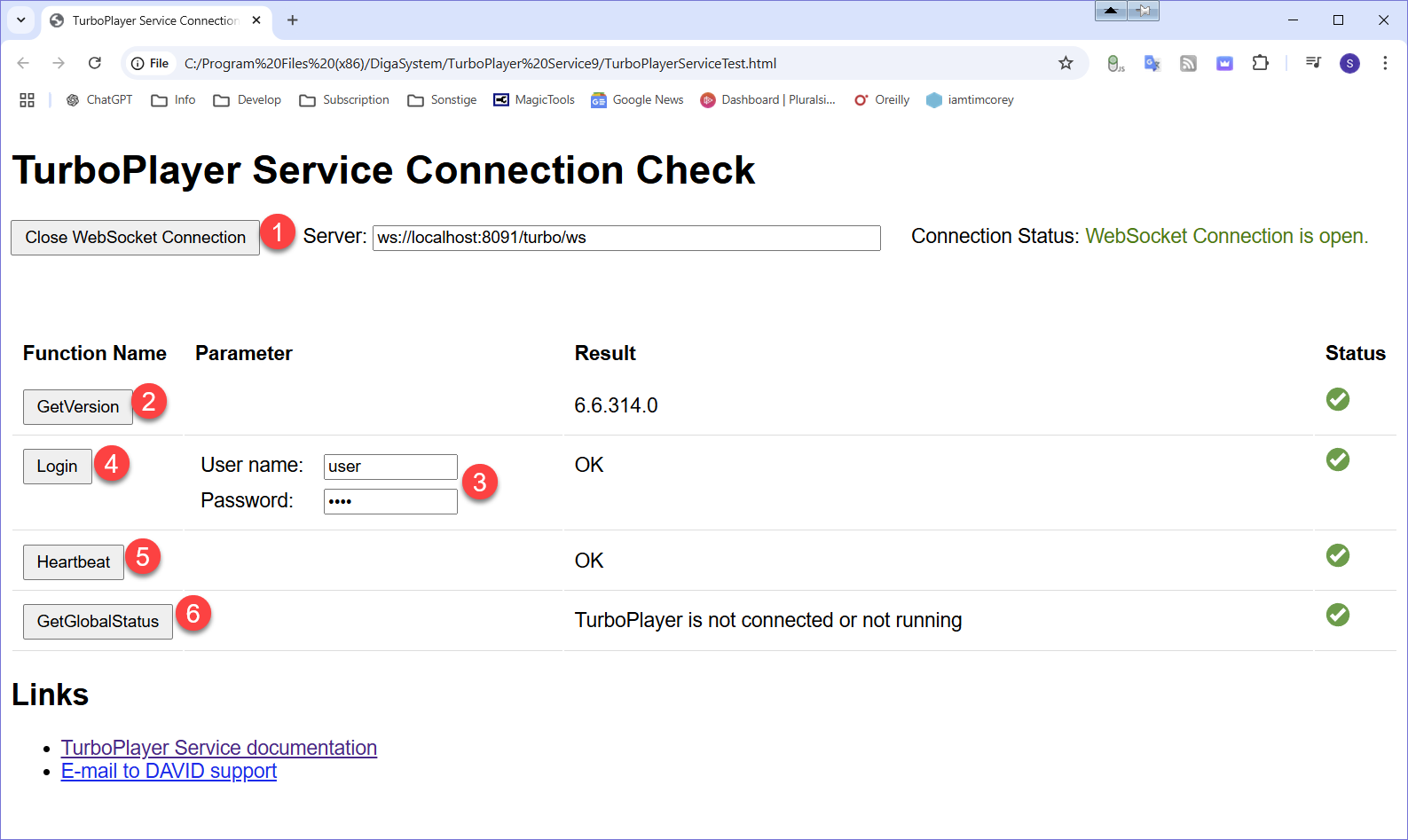
If an error occurs in one of the following checks, checkout the Troubleshooting and Logging page.
-
Click (1) Open WebSocket Connection to establish a connection to TurboPlayer Service. The Connection Status should display the message WebSocket Connection is open.
-
If the WebSocket Connection is open, click (2) Get Version. The status should display
-
If the Version is correctly displayed, enter the User name and password for a valid DPE user (3). Click (4) Login. The status should display
-
If the Login was successful, click (5) Heartbeat. The status should display
-
Click (6) GetGlobalStatus, to check if TPS Service can connect to the TurboPlayer.