
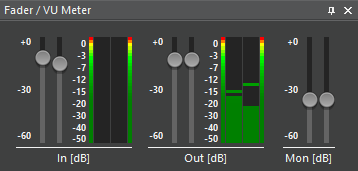
This pane shows different faders and VU meters (depending on current screen and configuration):
-
In: Fader and VU meter for input signal (available where recording is possible)
-
Out: Fader and VU meter for playout
-
Mon: Fader for monitoring
Usage of faders: Click and move with the left mouse button to shift left and right channel at once. Right-click left or right to only shift one channel. Click a position to set gain directly.
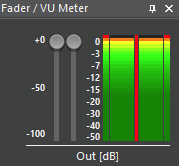
An inverted phase is indicated by a red bar in the middle:
For configuring phase indicators see page Phase indicator.