Skip to main content
DigAIRange
Customer Care Desk
DAVID Website
6.6
5.1
Main navigation
DigAIRange
Close navigation
6.6
5.1
Main
Customer Care Desk
DAVID Website
Main
Getting Started
Learn & Explore
Filling a blank Template
Scheduling a Show
Manual import from scheduling tools
Manual export of broadcast schedules
Adding items from pools/preschedules or broadcast schedules
Delete items from pools/preschedules or broadcast schedules
Scheduling Regio Tracks
Creating Snapshots
Resetting a Show to a Snapshot State
Managing Snapshots
Changing the Show/Day State
Printing or Exporting to text Editor
Editing Scheduled Elements
Window Areas
Button Bar
Navigation Bar
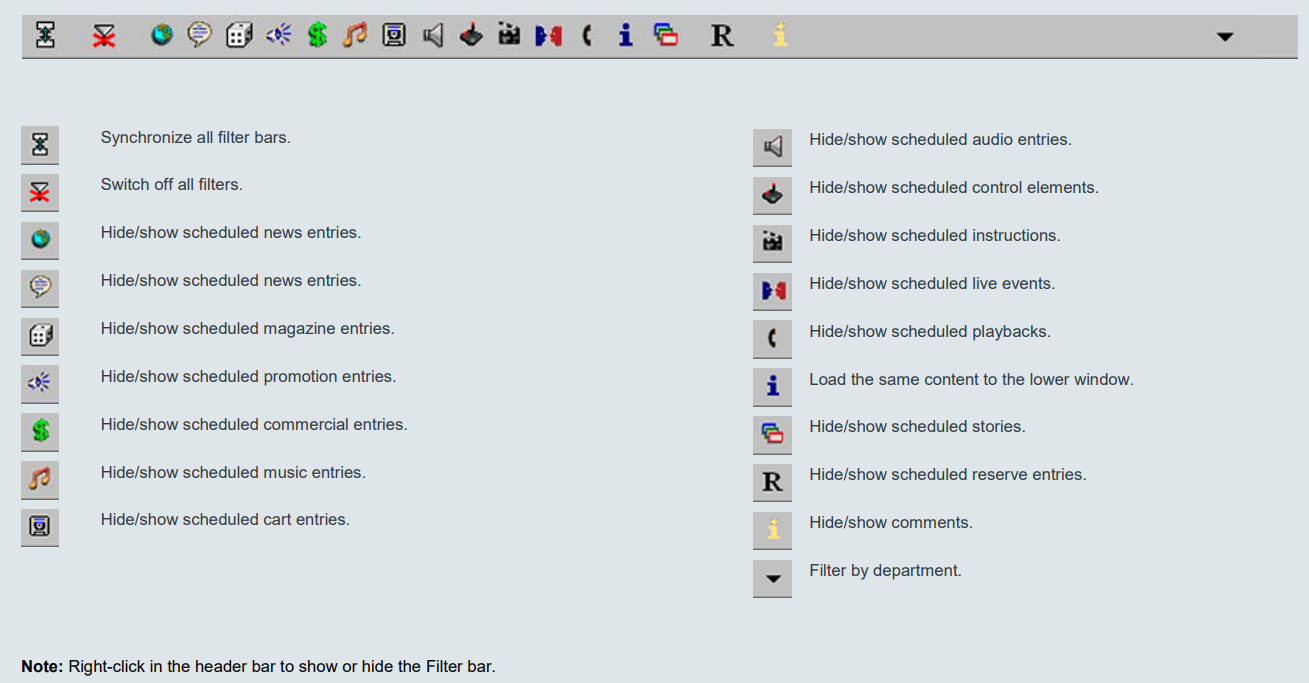
Filter Bar
Time Bar
Configuring Time Windows
Show Structure Tree
Show and Day State
Show Class Flag
Content Windows
Broadcast Table Window with One or Two Show Window
Start Mode and Start Type | Gap/ Overlap | Class ....
Multiview Window
Entry Mask
Start Attributes
Settings
Prelistening of Endpoint Stories (EPS)
Drag&Drop of Endpoint Stories (EPS) to On-Air Track Mixer (OTM)
Recommendations
Breadcrumbs
Home
Documentation DigAIRange
Learn & Explore
On this Page
Filter Bar