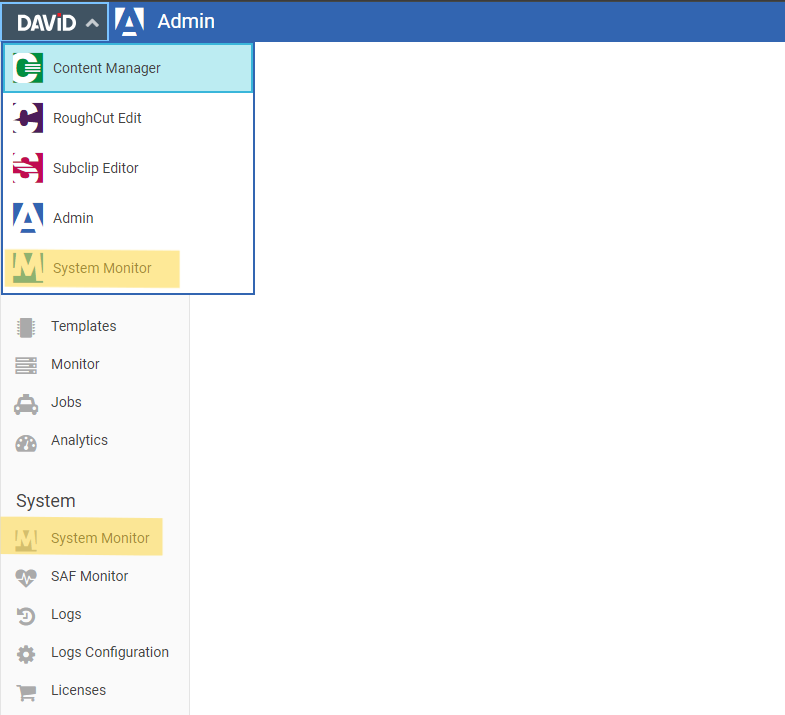
System Monitor tool enables system administrators to monitor system state with real time data. Load and Performance are two aspects in which the data is categorized.
Requires action right DpeSystemMonitor.Open
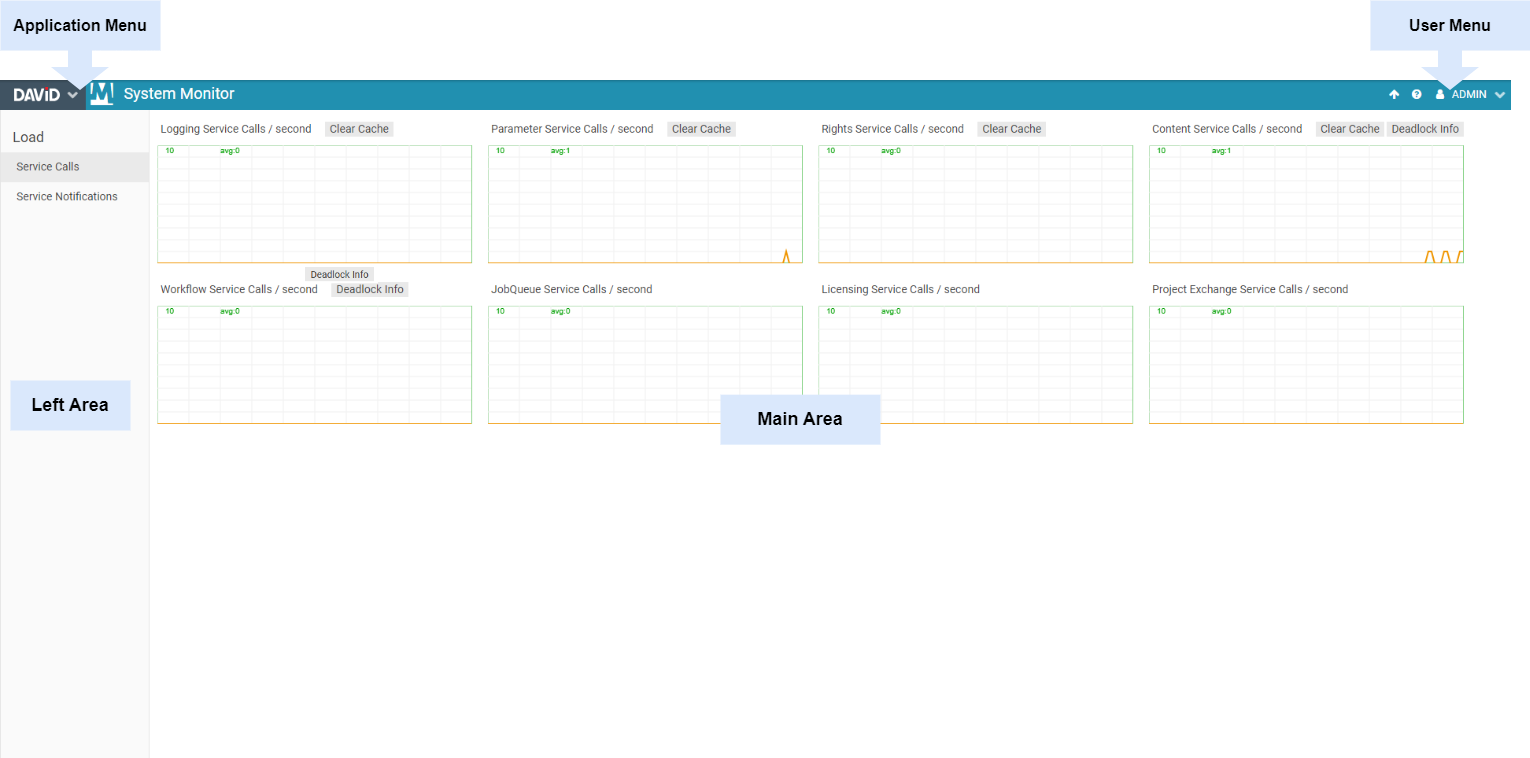
|
Area |
Description |
|---|---|
|
Application Menu |
The Application Menu can be used to navigate between the Content Manager, Subclip Editor, RoughCut Edit, Admin and System Monitor, given that the user has sufficient rights. |
|
User Menu |
From the User Menu, the current user can sign out, go to Help section for information on feature and configuration know-how. |
|
Main Area |
Monitored data represented as graphs and tables. |
|
Left Area |
For selecting different monitoring aspects based on Load and Performance. |
Opening System Monitor
System Monitor tool can be opened either from the Application Menu or from Admin Menu.