
This service helps to create/add new User and Groups and assign different rights to them.
Using this functionality requires a license 'UserAndGroups' and the ActionRight DpeAdmin.OpenRightsManagement.
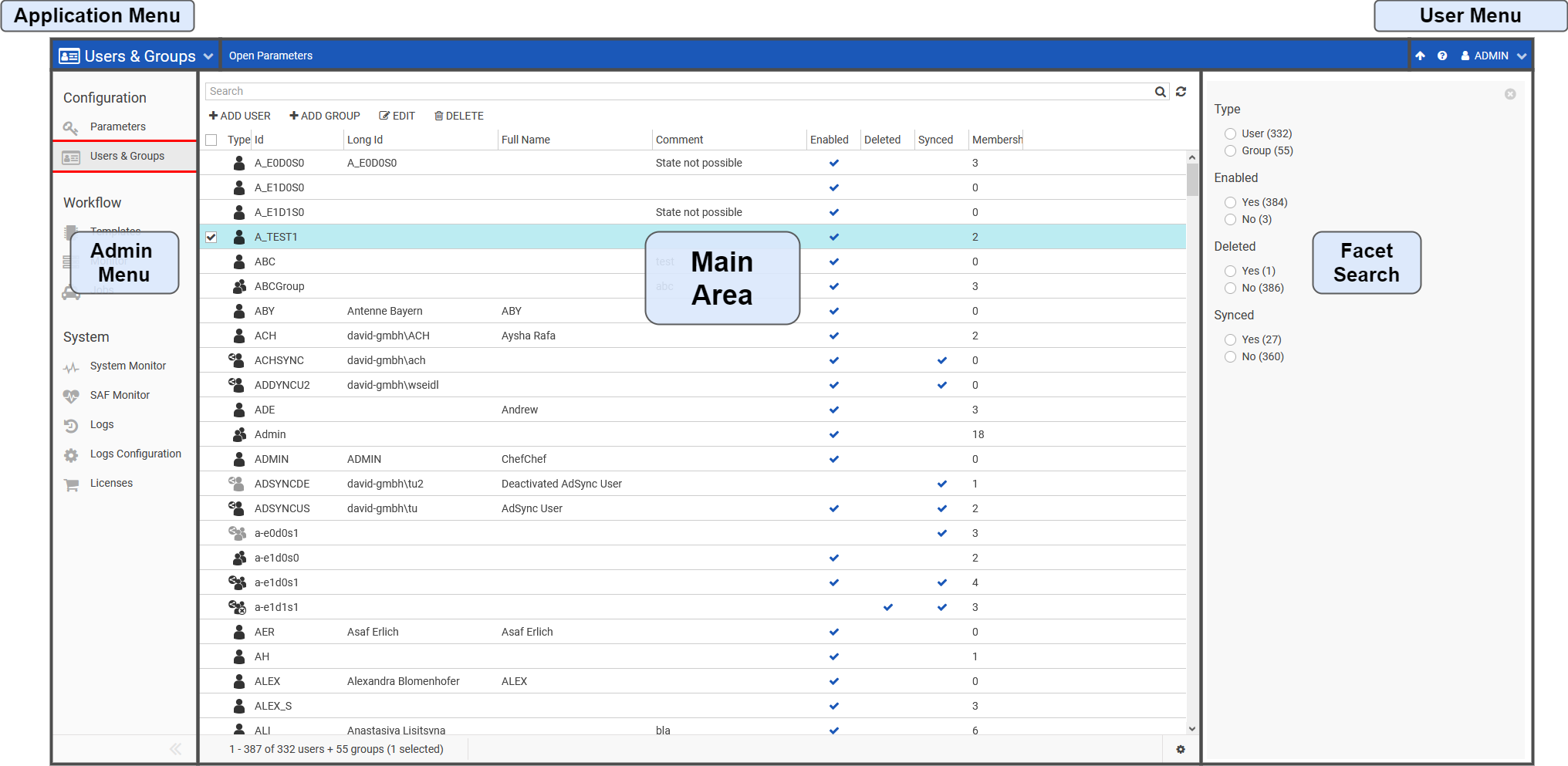
Navigate to "User & Groups" in Admin. It appears like this
|
Area |
Description |
|---|---|
|
Application Menu |
The Application Menu can be used to navigate between the Content Manager, Subclip Editor, RoughCut Edit, Admin and System Monitor, given that the user has sufficient rights. |
|
User Menu |
From the User Menu, the current user can sign out, change their password, go to Help section for information on feature and configuration know-how. |
|
Admin Menu |
Change between different Admin sections. The current selection is Logs |
|
Main Area |
Displays a list of all Users/Groups fitting the facet and text search. |
|
Facet Search |
The Facet Search can be used to filter Users/Groups according to their Type, Enabled, Deleted and Synchronized meta-data. The number of Users/Groups fitting the current or potential search can also be seen here. |
Users and Groups can be differentiated using icons and a tooltip is also displayed in the Type column. You can also sort user by Membership Count to see if they belong to a group.
|
Functionality |
Description |
|---|---|
|
How to create a new user |
Create a New User |
|
How to create a new Group |
Create a New Group |
|
How to Edit the User/Group |
Edit the User / Group |
|
Assigning memberships/Rights to User/Group |
Define User / Group Rights |