
Saving selected objects as takes is done by selecting these in the clipboard by the SHIFT or CTRL key.
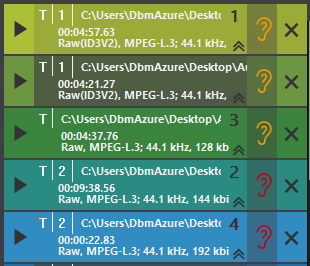
The selected objects now show a number representing the selection order (here 1-_-3-2-4).
Left click one of the selected objects and move it, whilst holding the mouse button, to the save button 