
The Main Area displays an overview of multiple logs, while the Detail Area displays the entire log information of a single log.
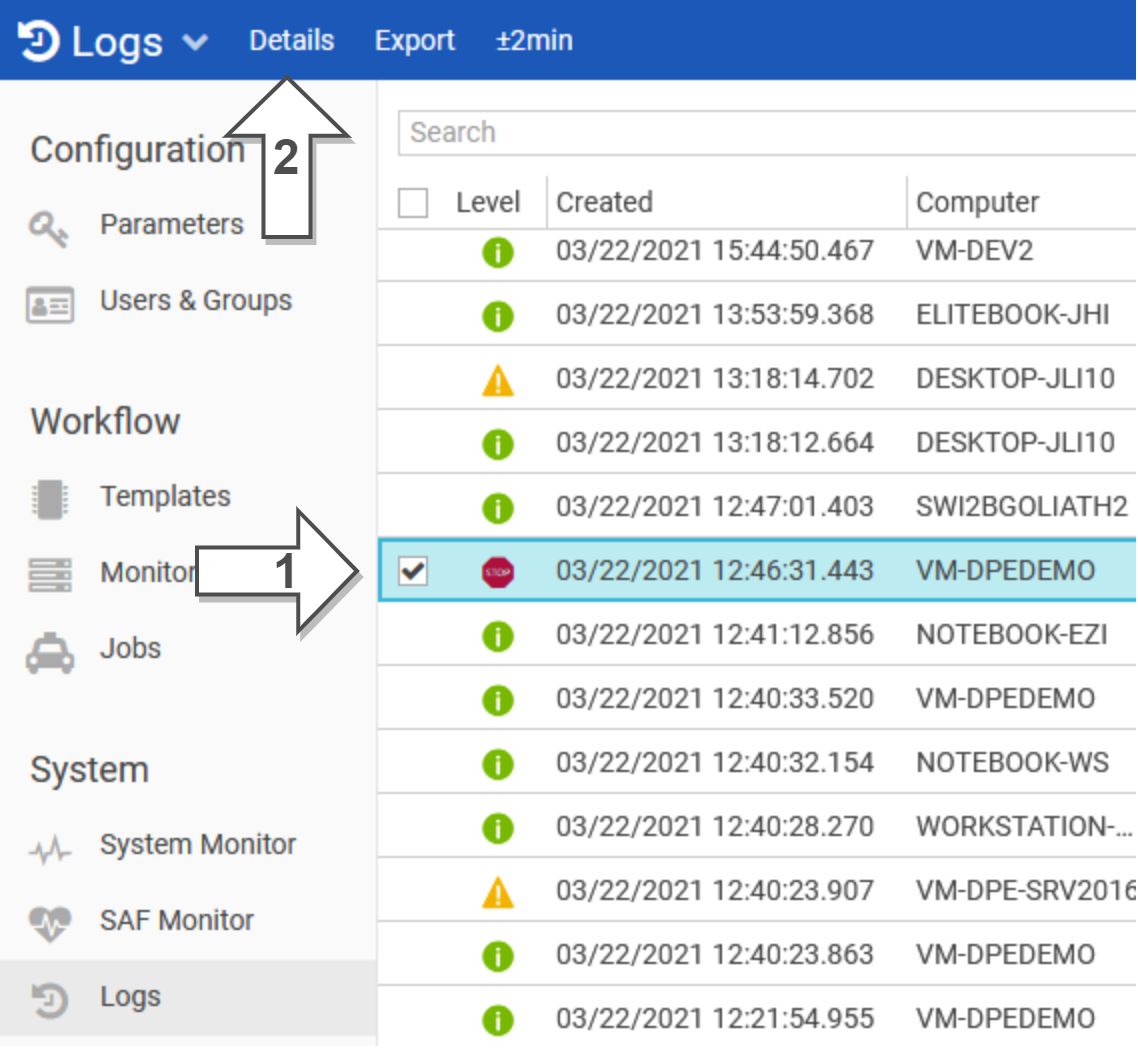
Open details view
-
Select a required entry
-
Press 'Details' in the top bar
OR
-
Click on the hyperlink in the message column
Log Information
|
Level |
This column shows the following log types: |
|||
|---|---|---|---|---|
|
Time Created |
Date and time of the log event |
|||
|
User Name |
The affected user causing the log event |
|||
|
Computer Name |
The affected workstation causing the log event |
|||
|
Component |
The affected module reporting the log event |
|||
|
Category |
The following categories are currently known:
|
|||
|
Message |
Description of the log event |
|||
|
LogSessionId |
An ID that visualizes the thread of "nested" log messages, e.g. a client component and a service called by the client component use the same LogSessionId for log messages |
|||


