Content Manager functionality relies largely on a proficient use of the available keyboard and mouse shortcuts. To extend the Content Manager functionality even further, the shortcuts can be adapted to fit a specific user or workstation setup.
Configuring a Standard Shortcut:
-
Create the folder |...|ContentManager|Shortcuts|.
-
Create a key named [Shortcut name] with the value of the desired key (e.g. Play=p)
For all available shortcuts, their name, and their default values see Using Keyboard Shortcuts for allowed values see Configuring keyboard shortcuts .
Two different events cannot be triggered simultaneously by the same keyboard shortcut.
Configuring a Menu Item Shortcut
-
Create the folder |...|ContentManager|Shortcuts|.
-
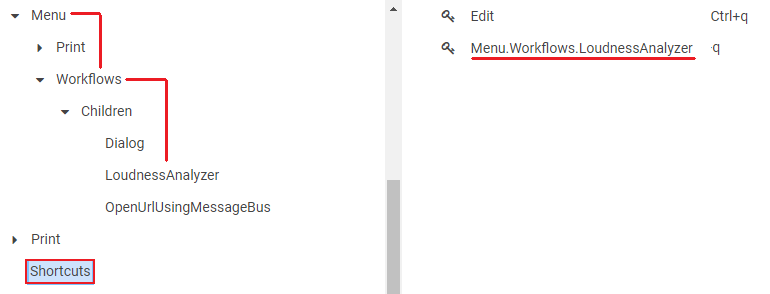
Create a key named Menu.[MenuItemFolderPath] where MenuItemFolderPath is the target menu item.