
For using a .NET custom library (DLL) in a Workflow, you have to:
-
copy DLL into WorkflowEditor and WorkflowServer folder, e.g. MyLibrary.dll.
-
Start Workflow Editor and open your Workflow Template which should use the DLL
-
Click on the "Add assembly reference..." item
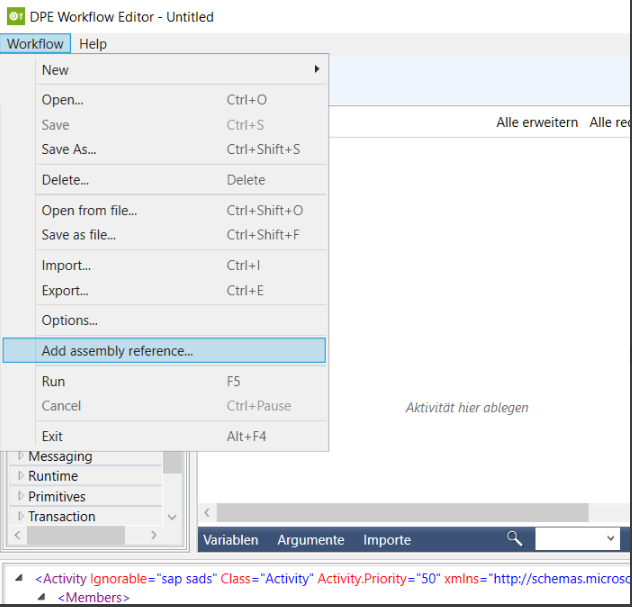
-
Which will show a file open dialog (filtered to *.dll") and located to the directory where the WFEditor runs. You can select a DLL to add.
-
*.DLL file selection is only accepted if it is located in the Workflow Editor directory otherwise an error message will appear.
-
When a valid DLL has been selected the XAML is modified
-
Reload the Workflow Template