
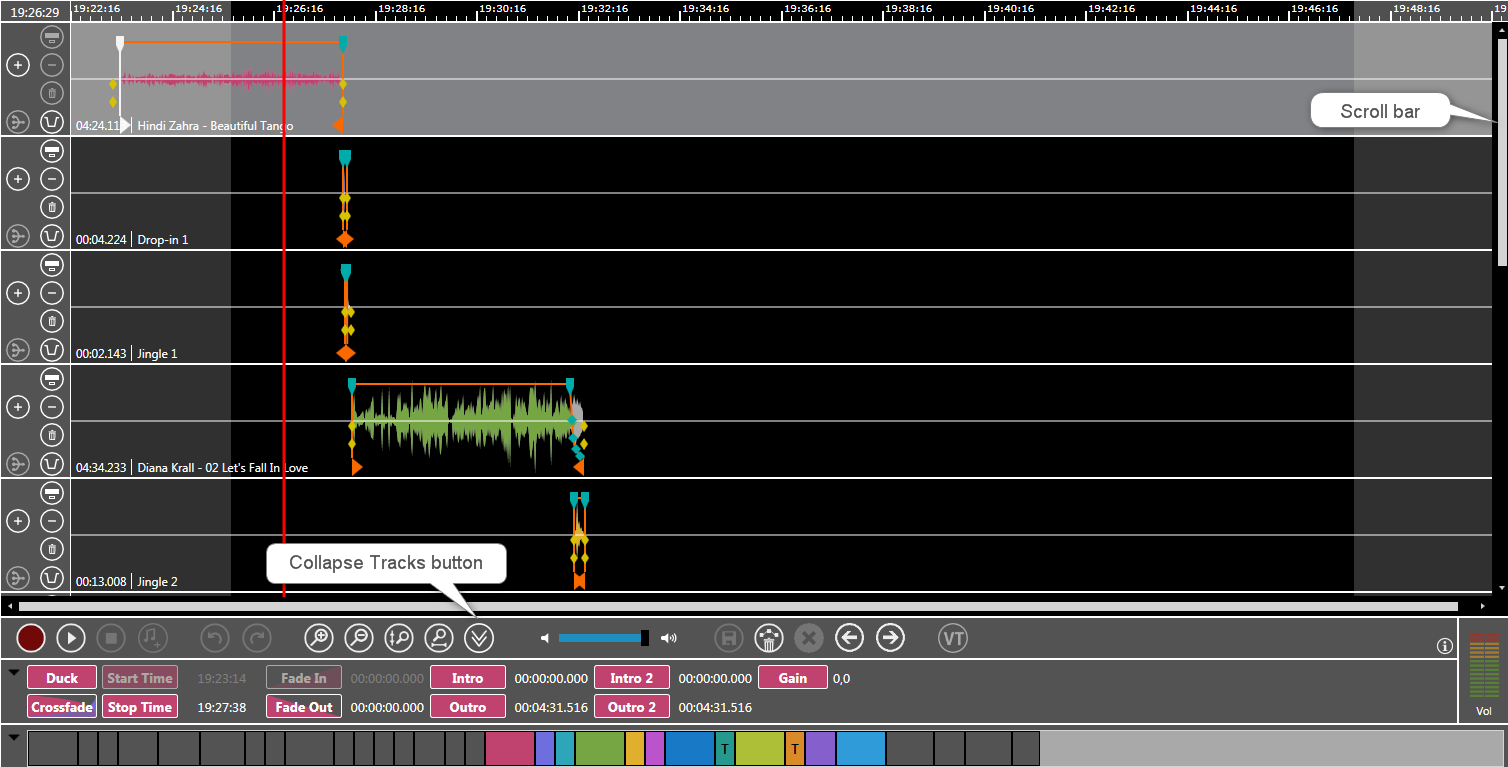
To maintain clarity with many tracks in OTM a miniature view is available. Using the Collapse Tracks / Expand Tracks toggle button a talent may minimize the height of all tracks, similar to MTE's small display mode.


Expand Track Mode: Standard Mode with scroll bars.
Collapse Track Mode: Mode without scroll bars. In this mode you are only allowed to move elements but you may not edit them.
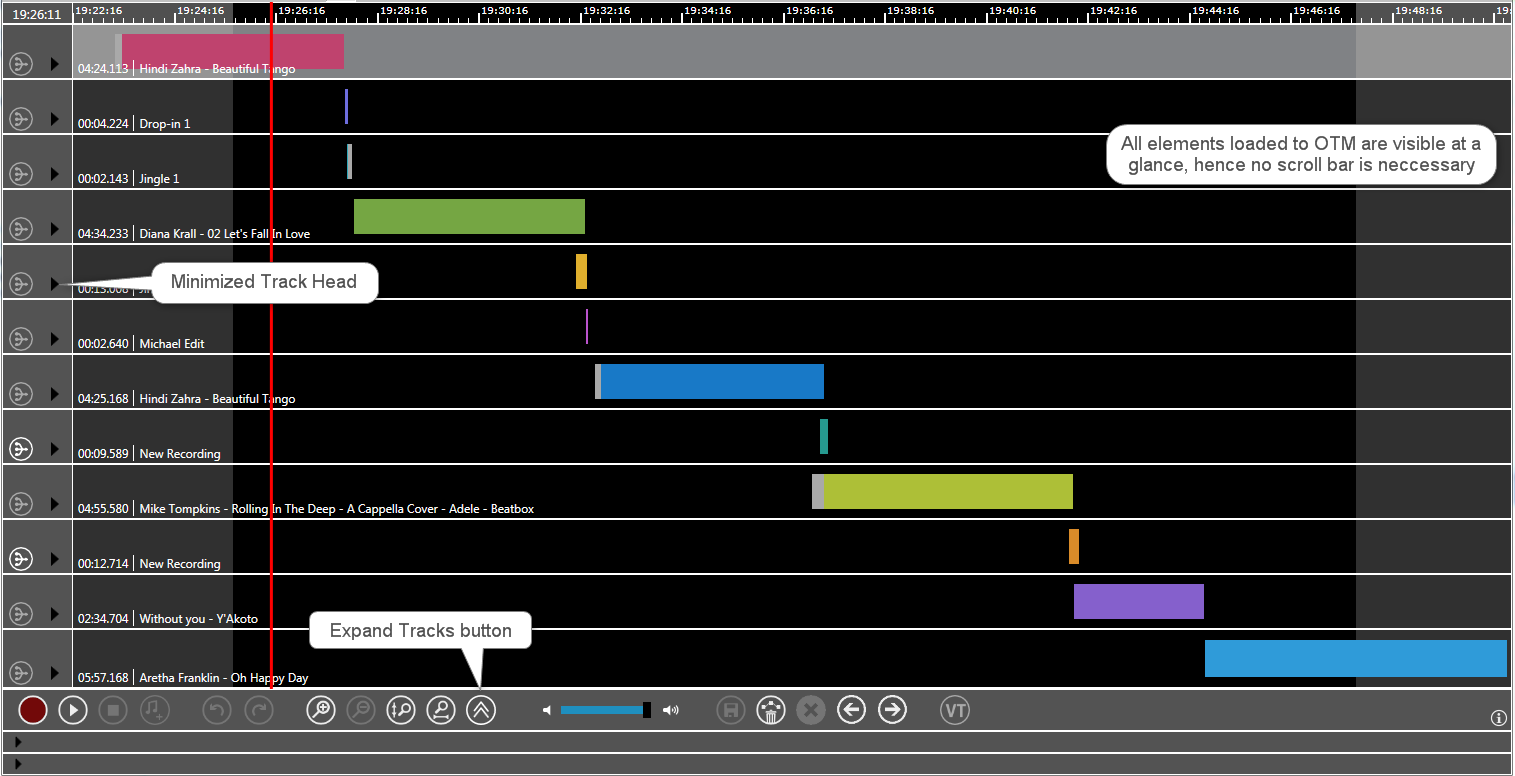
Minimized Track Head in the Collapse Track Mode:


Shortcuts
|
|
Shift-click provides a ‘zoom all out’ overview of all tracks in the collapsed view. |
|
|
When clicked, the entire timeline zooms in to the level shown before in the Expanded Track Mode selection. |


If you want the panes "Marker Details" and "Show Overview" to be collapse / expand, when the tracks are collapsed / expanded, contact your administrator who needs to set the parameter CollapsePanes=1. Administrators please click Reduce Tracks and Panes - Parameters