
Below described functionality is only available if your system is configured according Configuration for Starting a Workflow for an Entry
Triggering the Workflow
-
Start DBM
-
Open a table
-
Then select one or more entries within the table.
-
You can trigger the workflow creation in one of the following ways
-
Via the toolbar icon

-
Via the main menu:
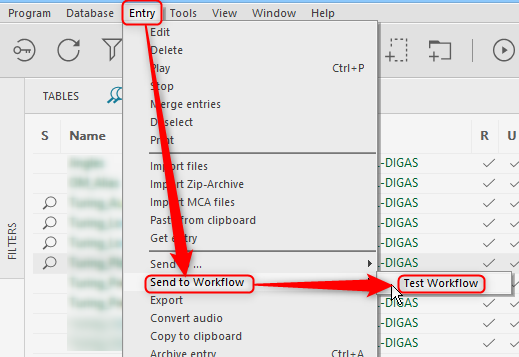
-
Via the context menu (right click on the selected entry):
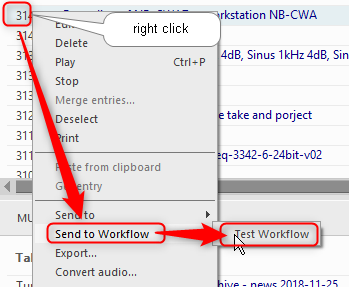
-
-
If configured you have to enter additional data in a dialog - see below
-
A message is displayed the x Workflows have been created
-
For detailed results go to Workflow Monitor
Entering Data
If configured a dialog may pop-up after you selected and workflow, which will ask for additional data, before creating the workflow
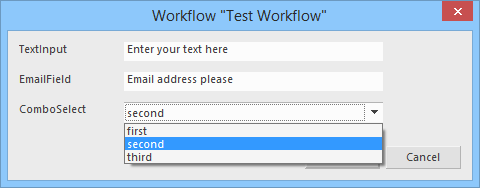
-
Enter your desired data
-
Then click "OK" to create the workflow - the "OK" button is hidden underneath the drop-down list
-
The workflow system will process the workflow at the next available time