If you are interested in purchasing this workflow, please get in contact with our sales team.
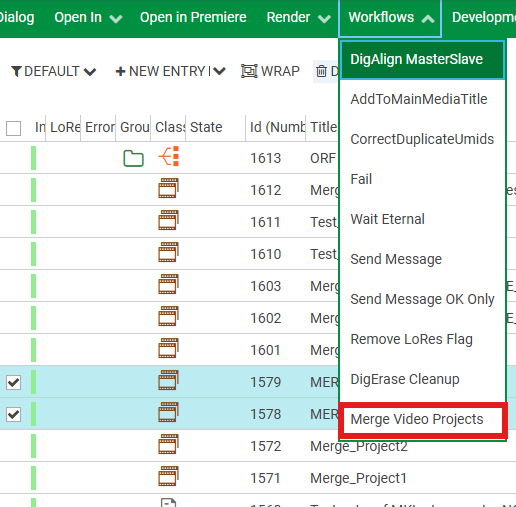
The workflow can be triggered by a configured menu item in Content Manager. It will merge the Video Project bins and timelines from the selected entries into a new Video Project (new Entry).
Files
The files are located here: “{WorkflowTemplates}\DPE2.x\Customers\CmMergeVideoProjects“
|
File |
Description |
|---|---|
|
CmVideoProjectMerge.wft |
DAVID Video Project merge workflow |
|
MergeVideoProjects.par |
Content Manager menu item configuration, to trigger the workflow |
Pre-Requisites
-
no additional processors, only WorkflowServer
Configuration
-
import the CmVideoProjectMerge.wft in Workflow Templates
-
import the menu item PAR
The menu item gets visible on selecting multiple DAVID Video Projects in Content Manager.