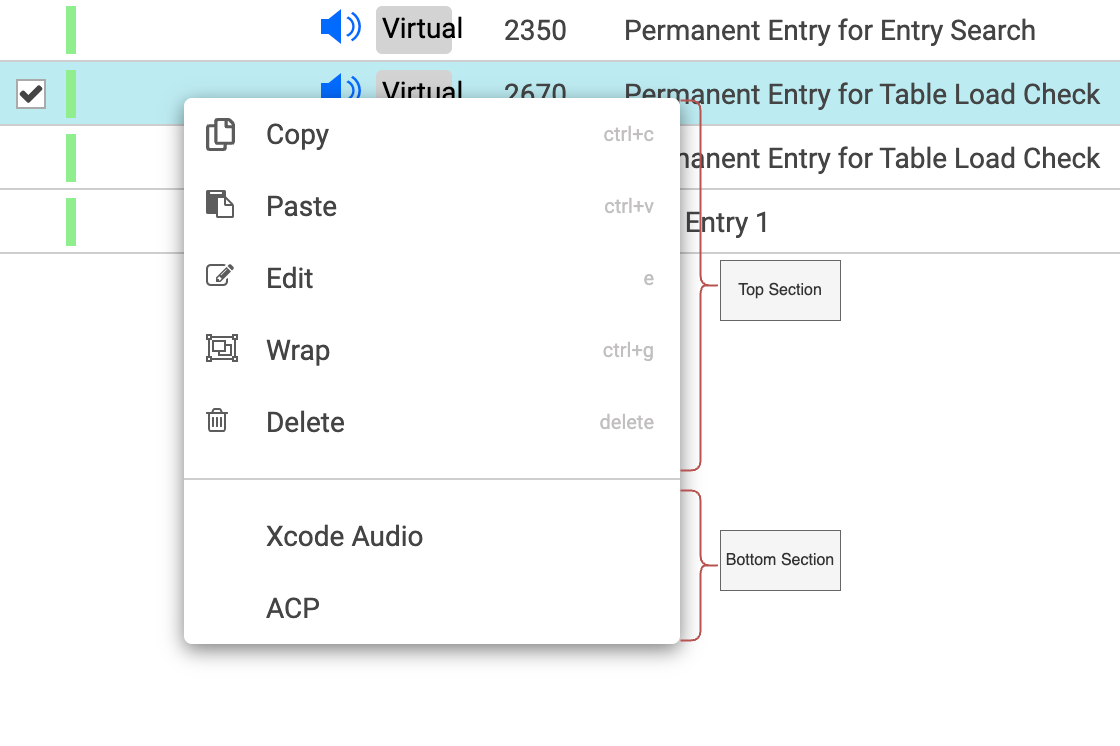
The right-click context menu is a feature in Content Manager that provides quick access to a set of commands related to a selected item or a list of selected items. Context-menu appears when the user right-clicks on an item, offering various actions that can be performed without navigating through the main menu or toolbar.
The context menu is divided into two sections, separated by a horizontal line:
-
Top Section: This contains general commands that are applicable to the selected entry.
-
Bottom Section: This includes user-defined plugins and workflows that can be executed. Items in this section can be configured through the Admin Panel. For configuration instructions please go here.