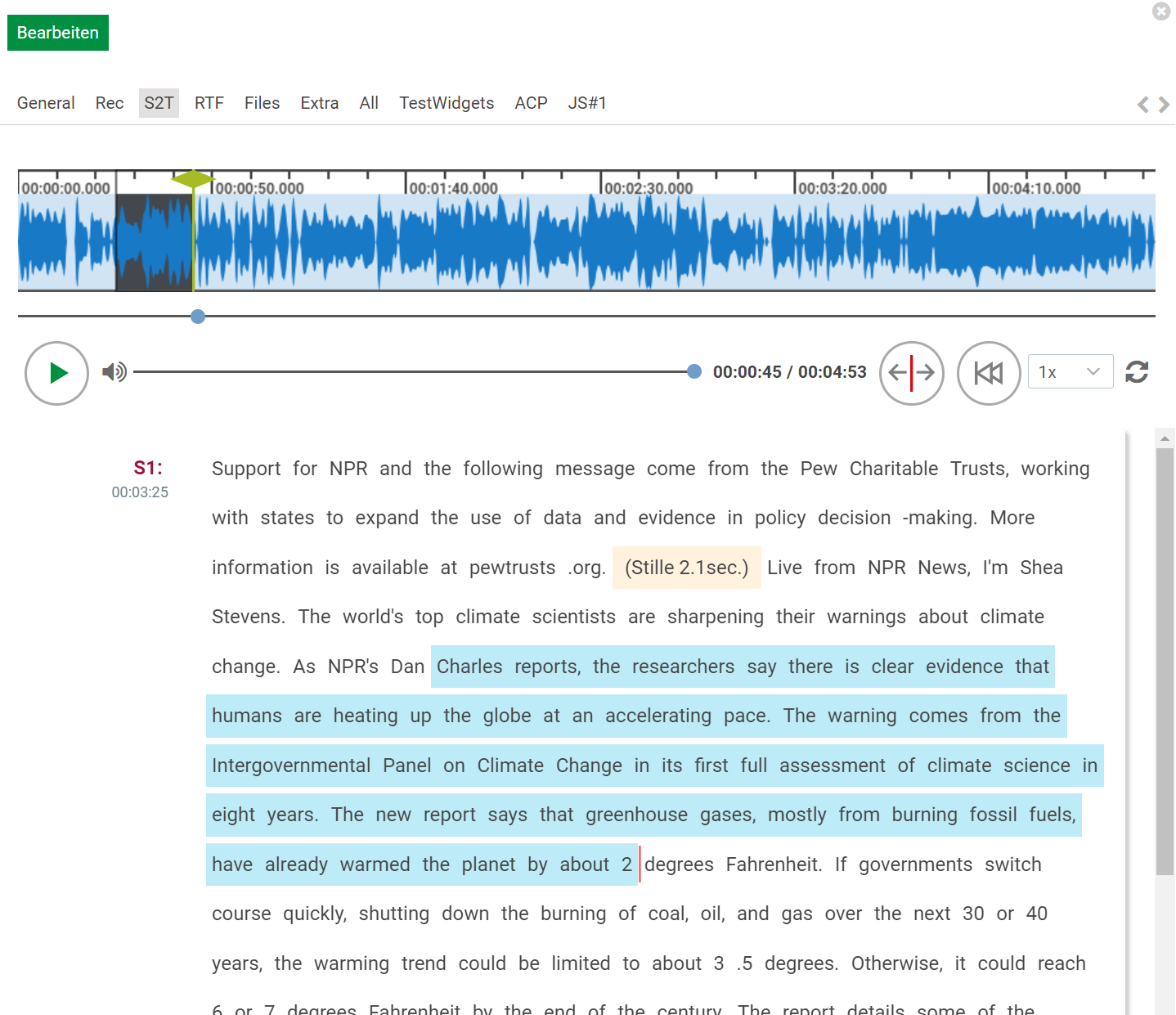
Visual representation of audio content in text format facilitates understanding and clarity. Content Manager now provides a built-in interactive component to visualize the transcribed text of an audio entry. The speech-to-text component can be configured in the details pane, and works seamlessly with the audio player. This component provides the following main features:
-
Improved Audio-Text Synchronization:
-
The text component provides a synchronized view of the transcription and the audio. As audio goes through, the corresponding text location gets highlighted, making it easier to follow along.
-
When the user sets the cursor to a specific word in the text, the audio playback head automatically moves to the corresponding point in the audio. This feature allows users to quickly navigate to a specific section of the audio by interacting with the text.
-
-
Copy Text Functionality: Users can copy selected text from the transcription for easy sharing or referencing. This feature enhances user interaction and makes it easy to extract information from the transcript.
-
Speaker detection: The speakers of the audio, that are found in the transcription, are marked in the component by their corresponding column
To configure a s2t-area component to details pane, please visit Adding Speech-to-text component.