
Installation Files
OnAIR TrackMixer 1.2
-
Visual C++ 2012 Runtime Libraries (vcredist_x86.exe)
-
Visual C++ 2017 Runtime Libraries (vcredist_x86.exe)
-
Microsoft .NET 4.5 (dotNetFx45_Full_setup.exe)
OnAIR TrackMixer 2.1
-
Visual C++ 2012 Runtime Libraries (vcredist_x86.exe)
-
Microsoft .NET 4.5 (dotNetFx45_Full_setup.exe)
It is recommended to use OTM in a DigaSystem with at least the release versions of:
-
Database Manager
-
DigAIRange
-
TurboPlayer
This includes a
-
MultiRec4.ocx, which is a required component for OTM.
The OTM package consists of the following files:
-
Audio32.dll
-
Microsoft.Xaml.Behaviors.dll
-
OnAirTrackMixer_changes.txt
-
OtmControl.ocx
-
OtmControlLibrary.dll
-
OtmControlLibrary.dll.config
-
OtmControlUtil.dll
.../de
-
OtmControlLibrary.resources.dll
.../OtmAlternateGui
-
Dark_Theme.xaml since version 2.5
-
OtmBlack.xaml
-
OtmGrey.xaml
-
OtmVeryLight.xaml
Database Manager, DigAIRange and TurboPlayer Versions
Generally, this manual focuses on the usage of the latest versions of DigAIRange and TurboPlayer. Older versions of these modules can be used in combination with OTM, but then most of the new features and parameters described in this manual will not work!
Installation Steps
-
Copy the files into the same directory as the executable program which will host OTM; this is usually the DigaSystem Root directory containing DBM.exe and/or DigAIRange.exe and/or TurboPlayer.exe
-
Register OtmControl.ocx using regsvr32.exe.
-
right mouse button (RMB) click at regsvr32.exe to open properties
-
go to the Compatibility-tab and checkmark "Run this program as an administrator
-
confirm with OK
-
now drag and drop the OtmControl.ocx upon the regsvr32.exe
-
User Account Control message prompts asking "Do you want to allow this app from an unknown publisher to make changes to your device?" confirm with YES.
-
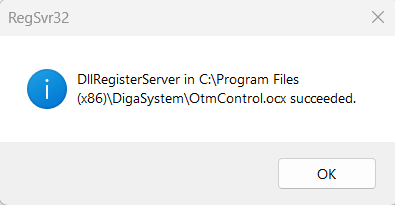
OtmControl.ocx confirmation window prompts
-
Click Configuration for Databse Manager, DigAIRange and TurboPlayer to learn more.