
Tracks are the horizontal audio lanes in the CAE timeline. Each track holds one or more clips and has its own header with playback and editing controls.
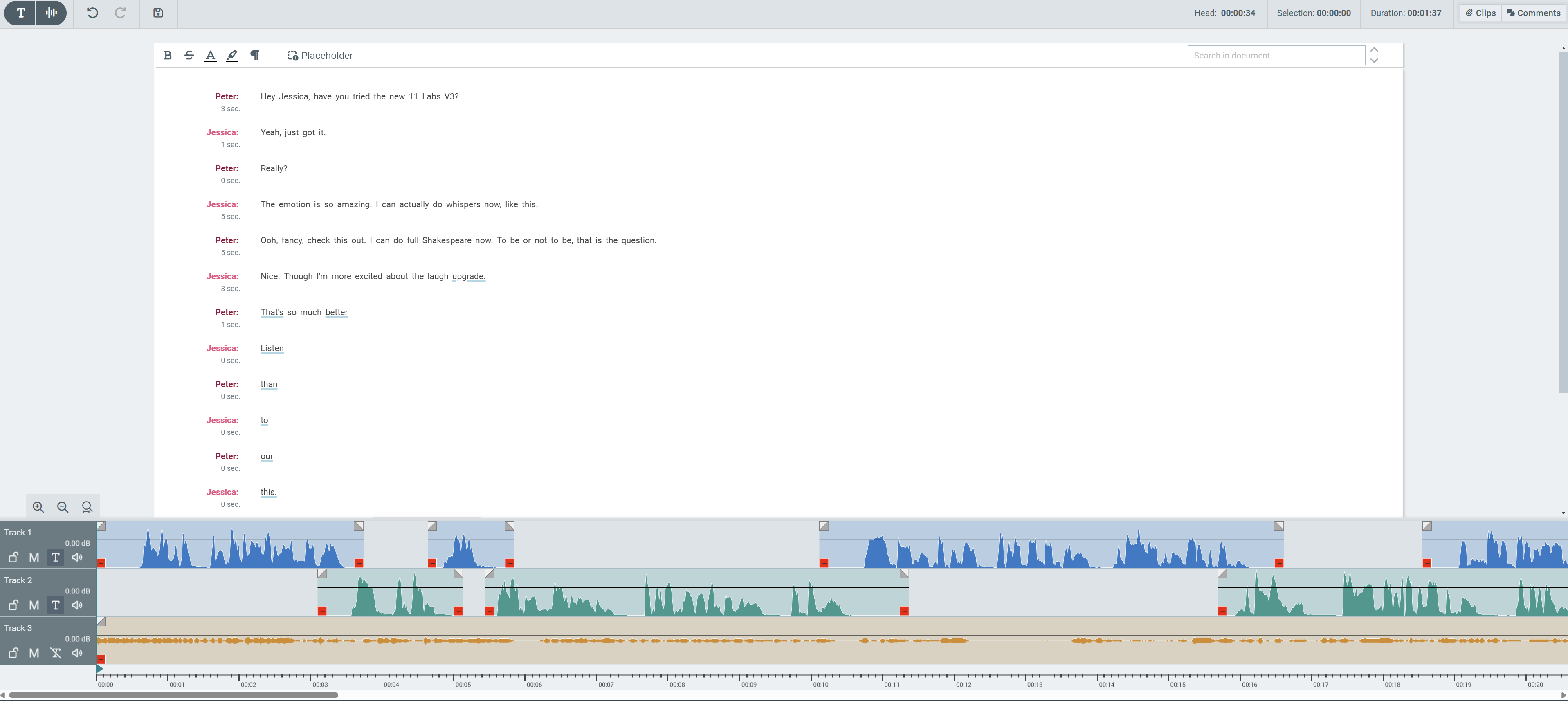
Track Header Controls
|
Control |
Description |
|---|---|
|
Track name |
Label identifying the track (Track 1, Track 2, Track 3). Can be editable on hover |
|
Gain (dB) |
Current track gain level, shown in decibels |
|
Lock |
Locks the track — clips on it can't be moved, trimmed, or deleted while locked |
|
Mute (M) |
Silences the track during playback without removing it from the project |
|
Text (T) |
Shows/hides this track's lines in the transcript area above. |
|
Speaker icon |
Opens gain control for the track — adjusts the track's volume level (the |
Track Visibility
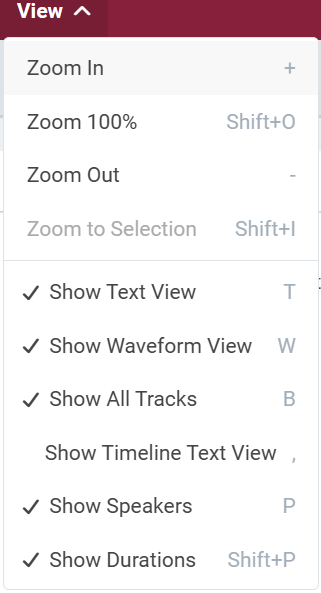
The View menu includes options that control how tracks are displayed:
-
Show All Tracks (
B) — when enabled, all tracks are shown in the timeline; when disabled, only one track is shown