
Use case: You want to create a new folder for defining a filter of ContentManager
-
Select "Filter" in the Content Manager folder as the root Directory.
-
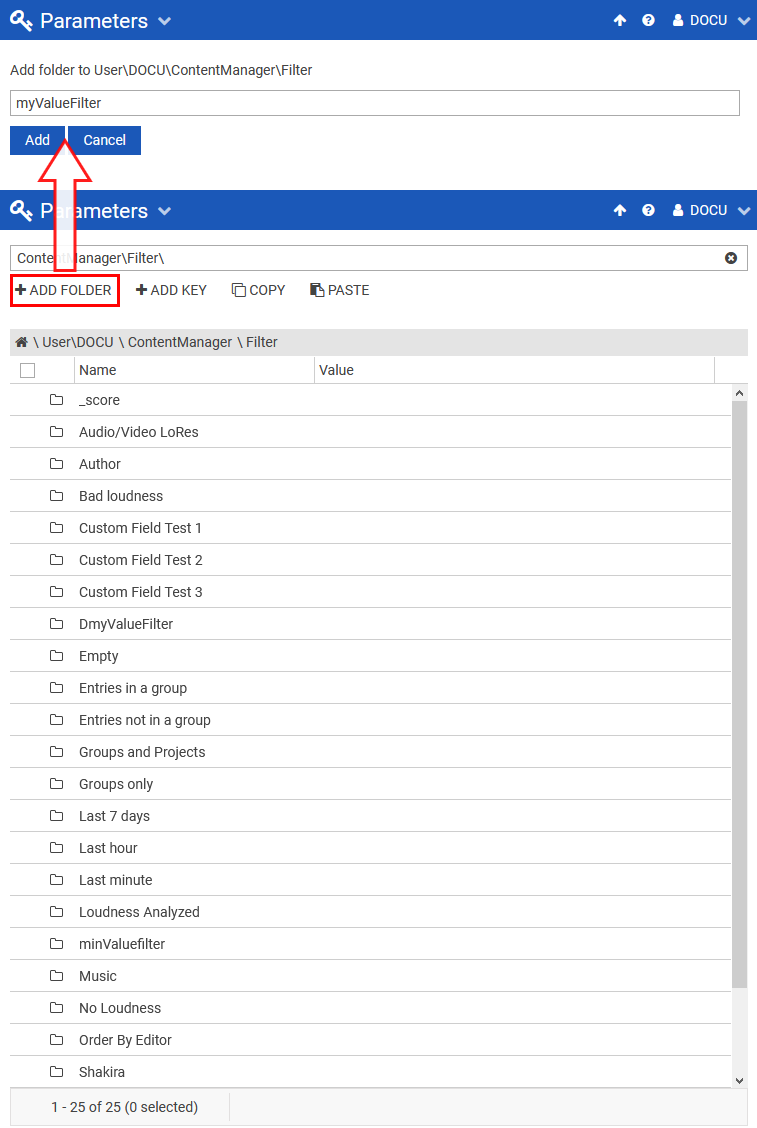
Click on "ADD FOLDER" button. This will navigate you to a new page where you can provide its name.
“ADD FOLDER" button will always add a new folder to the last directory in the Navigation bar, in this case 'Filter'.
-
Enter the name of the new folder
Folder name can take any symbol except for backslash or '\', which will be automatically removed from the name.
-
"ADD" button will generate a new folder inside the selected directory. In this example, a folder named myValueFilter is created inside |..|ContentManager|Filter|.
The screen auto-refreshes when a new folder is created, but this action can also be triggered manually by clicking "Refresh" 