
When logged in as ADMIN the Program menu offers the option Manage selection criteria.
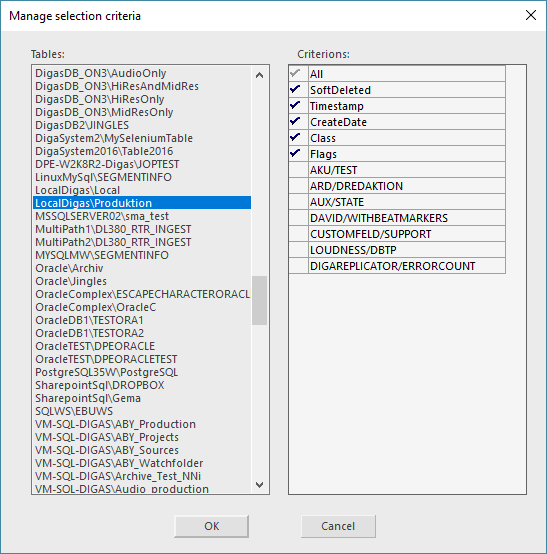
This dialog allows the administrator to hide unneeded metadata fields of the selection tree:
|
Tables |
Lists up all tables |
|
Criterions |
Shows all meta data fields and their status. |
Select a table on the left and set/ remove a check mark on the right to show/hide this meta data field in the Selection Tree.