
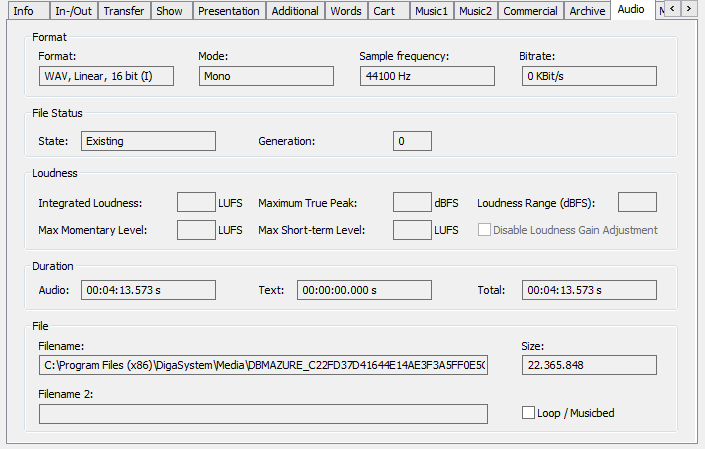
The audio tab shows detailed, but mostly not editable information about audio entries:
|
Format |
This section gives detailed information about the audio format |
|
|
File Status |
State:
|
|
|
|
Generation:
|
|
|
Loudness |
This field lists up all loudness values (only if the table is loudness configured and the audio has calculated loudness values). |
|
|
|
Disable Loudness Gain Adjustment:
|
|
|
|
The check mark can only be edited, if the loudness disable function is configured (see section Disable loudness for a dedicated entry (DBM) in the Configuring Loudness. All other fields of this section can only be changed with the DigaSystem ADMIN account. However, these fields should not be changed. |
|
|
Duration |
This section shows the duration of the audio file, the text file and both combined. |
|
|
File |
Filename:
|
|
|
|
Filename 2:
|
|
|
|
Size:
|
|
|
|
Loop / music bed:
|
|