
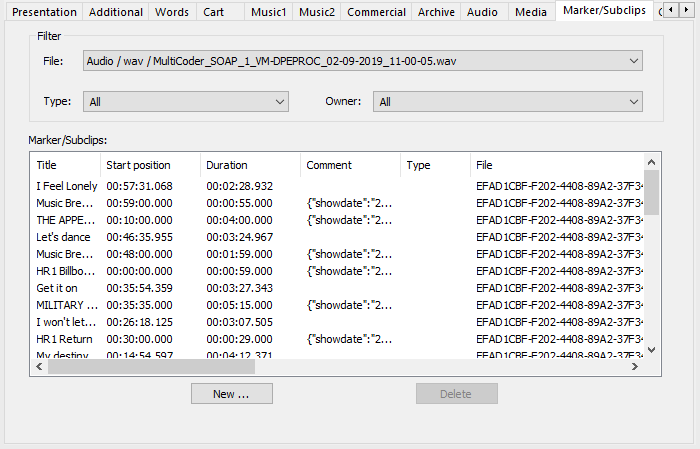
This tab has been implemented to manage video-relevant marker information (like sub clips etc.) and audio markers (like Intro, Hook, Refrain markers etc.).
|
File |
Selection of the media file, which markers/sub clips are displayed in the list. |
|
Type |
Selection of the marker types, which markers/sub clips are displayed in the list. |
|
Owner |
Selection of the user, who created the markers/sub clips. |
|
Marker/Subclips |
List of the available or selected markers/sub clips. |
|
New … |
A dialog opens where new markers can be added manually. |
|
Delete |
Deletes the highlighted marker/sub clip. |